
Have you lost your important Outlook calendar event data due to corruption, accidental deletion or other problem in Outlook profile? If this is your case, and you want to recover calendar, reading this article will be beneficial for you. Here we talk about the smartest ways to recover Outlook calendar from PST file safely. Let’s begin…
MS Outlook is an email client software that individuals and businesses uses for email functions. It provides an environment for users to access their email accounts to share emails through their desktop.
In addition to sharing emails, Outlook allows users to perform a number of other tasks, such as managing contacts, saving notes, scheduling calendar events, and more.
MS Outlook has many features that make it the best choice as desktop software for emailing. One of its best functions is its ability to store users’ profile data locally.
Outlook uses file types (such as OST, PST, OST, and MSG) in which it stores data that associated with a user’s email profile. Inside these file types Outlook stores the data like- Emails, contacts, calendar, tasks, notes, journals, and other mailbox items.
In cases where users lose important items like- calendars or other stuff from their Outlook profile, these files become the medium for users to retrieve those lost items.
Also Read: – How to Restore Outlook Contacts from PST Files
Understanding Outlook PST File –
PST (Personal Storage Table) is a data file that Outlook uses to store user data locally. It has the capability to hold a complete mailbox with all the mail folders and related elements.
By default Outlook creates this PST file, when a user configures a “POP (Post Office Protocol)” email account. Outlook downloads all the data of the email account and stores it inside this PST file automatically.
Apart from this, Outlook also provides some other options to create PST file like- archive and export function. Users use Outlook and create PST file to create backup of their email profile data like- emails, contacts, tasks, notes, and calendar also.
Common Reasons for Calendar Loss in Outlook: –
Before discussing the process of recovering a calendar from a PST file, it’s important to understand the common causes of calendar loss: –
- Accidental Deletion of Calendar Events: – Sometimes, users unintentionally delete calendar events from their Outlook profile, resulting in them losing important appointments and reminders.
- Corruption in Outlook Profile (Data File): – Corruption in the data file associated with the Outlook profile causes users to be unable to access their important calendar events. This results in the loss of calendar items and other data.
- Adding New Outlook profile: – A user who configures a new profile in Outlook but deletes his previous Outlook profile and its data also becomes a major cause of calendar loss.
In such scenarios, the user needs to recover Outlook calendar items, and prefers to recover the calendar from the backup PST file.
Method 1: – Recover Calendar from Backup PST file in Outlook
Note: – Works only with healthy PST files and also requires MS Outlook and Outlook profile in working state.
- Launch MS Outlook and open you r Outlook profile in which you want to add calendars.
- Click on File button from the top bar, click on Open & Export >> Import/Export.
- Choose the option Import from another profile or file and click on Next.
- Select import from option: Outlook Data File (.pst) and press Next button.
- Hit the Browse button and load PST file (containing calendar events).
- Choose a method for managing duplicates from available options and click on Next.
- Enter the Outlook file password (if have) and click on OK.
- Select profile or folder in which you want to Import PST file data and press Finish button.
Wait for the process to complete and get back your lost calendars in Outlook profile from your backup PST files.
Method 2: – Recover Outlook Calendar from Inaccessible PST file
If the PST file is in working state, it is possible to recover calendars from backup PST files in Outlook. If the PST file is corrupt or inaccessible, the solution is Regzion PST Recovery Software. This is the smartest tool that enables users to easily recover calendars from all type of PST files.
It allows to export calendar data from corrupt PST to new working PST, and many more file types like- ICS, MSG, etc. Recovers every calendar item in exact form with every detail. Moreover, it also supports calendar recovery from PST without the need of MS Outlook.
How to use Regzion Outlook PST Calendar Recovery Software?
Apply this simple process with Regzion PST Recovery tool to recover Outlook Calendar from PST file:-
- Download and launch the software and click the Select PST button.
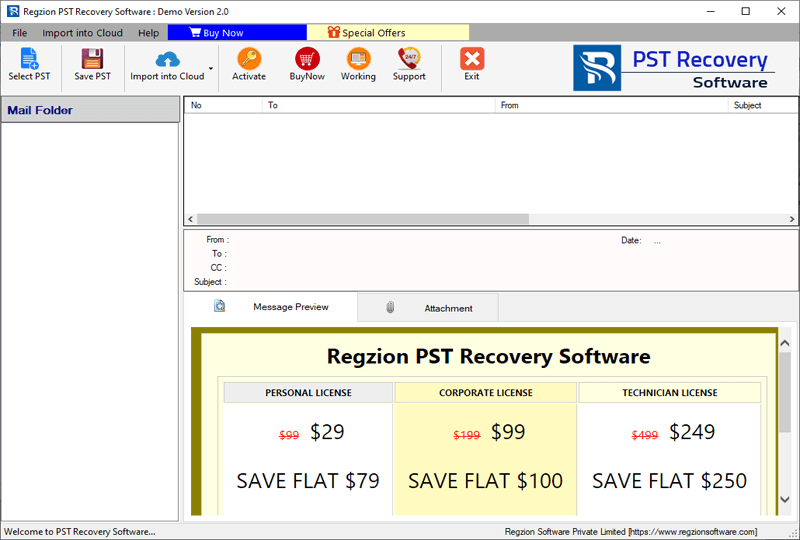
- Choose a file adding method – Single PST File Conversion or Bulk PST File Conversion.
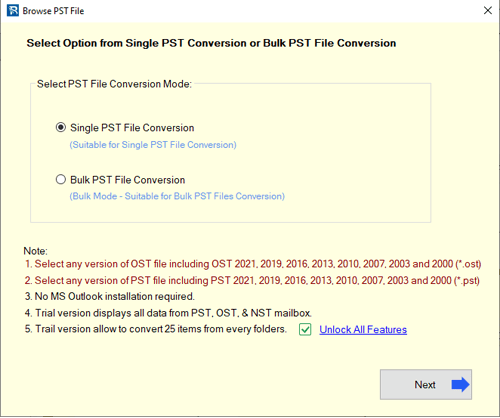
- Add PST file (single or multiple) with your chosen file adding mode and hit Start Scanning button.
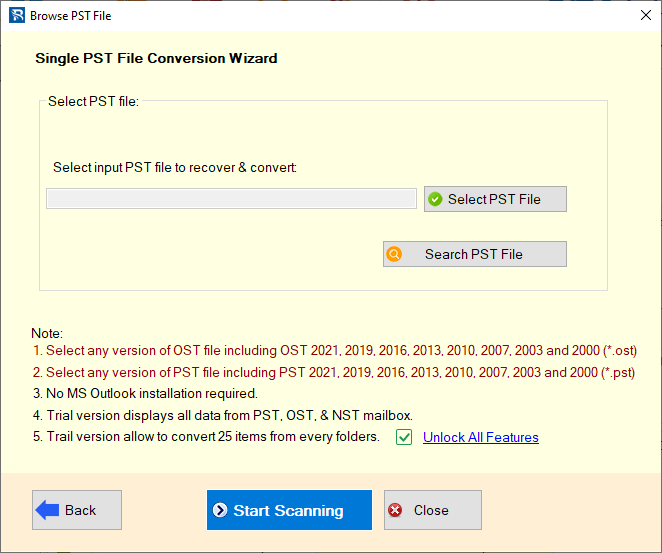
- Start scanning PST file and load Outlook mailbox folders with calendar and other items.
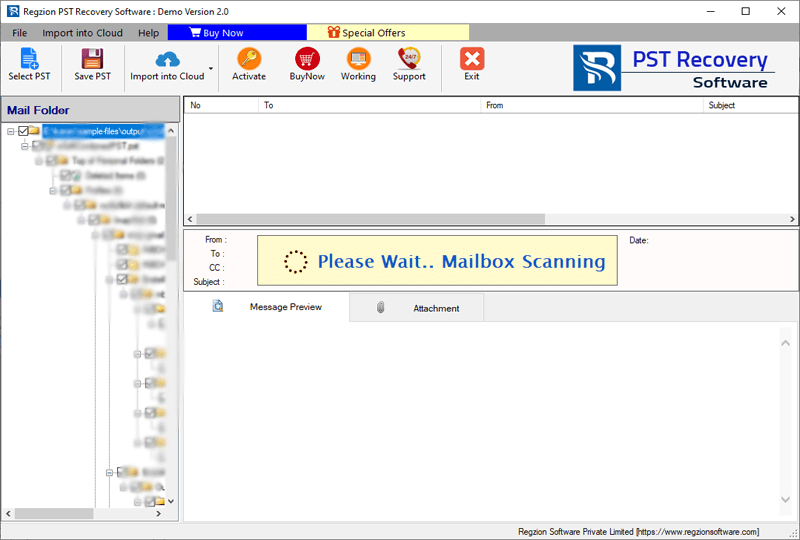
- Get preview of calendar and other available mailbox items from PST file.
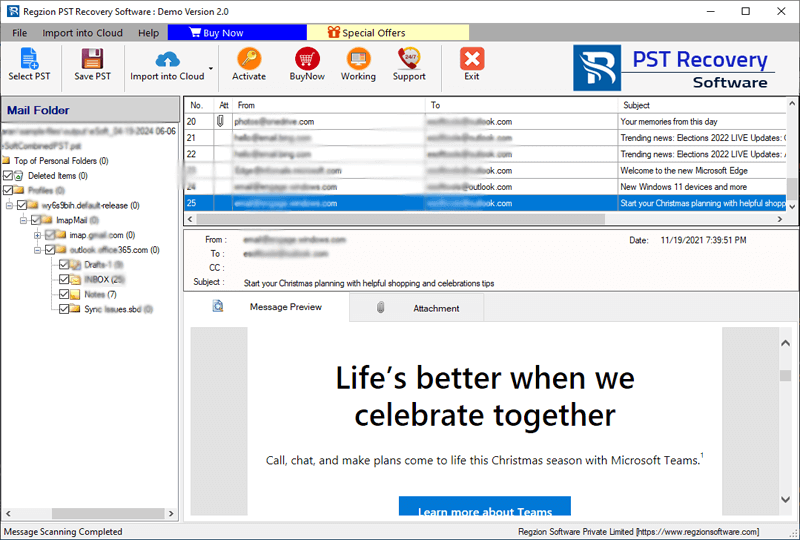
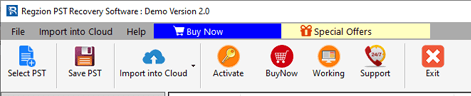
- Select folders containing calendars and click on the Save PST button from menu bar.
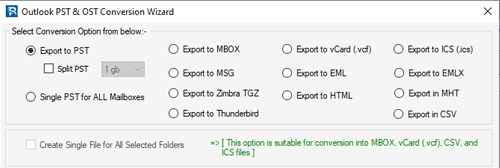
- Choose the export option (file type) for saving calendars items. (Supports saving calendar in PST, ICS, and MSG).
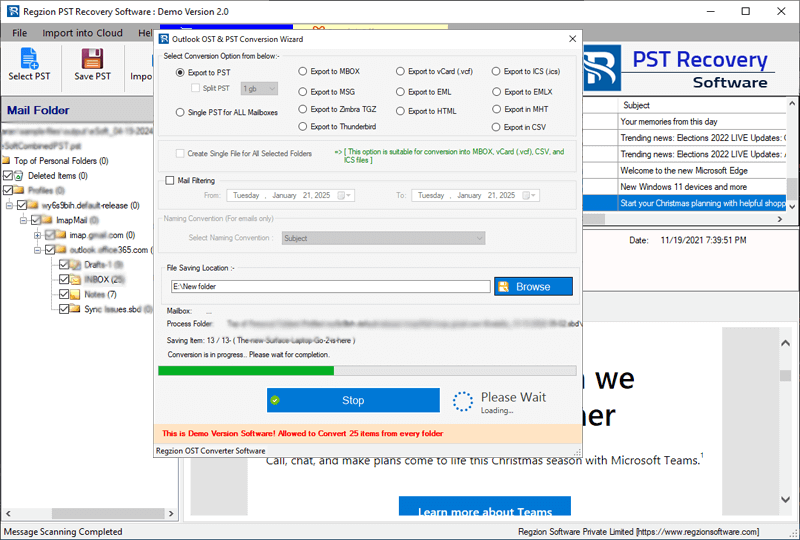
- Apply the mail filtering settings and choose a location to save resultant files.

- Lastly, press Convert button and export/recover calendar from PST file to new files.
Conclusion
Losing Outlook calendar data can be frustrating, but recovery is possible. To restore events from healthy PST files, use Outlook’s import/export feature. For corrupt or inaccessible PST files, Regzion PST recovery software is a better and effective solution. Quickly recover calendar items from PST using the tool and also save in file formats like PST, ICS, or MSG. Choose the method according to your need and best calendar recovery results.


No Comments yet!