
Are you looking for a reliable way to transfer Outlook profile data from your computer to Office365? If yes, you will find the best way to do it in this article. Here we will give you complete information about how to import PST files to Office365 mailbox? So, start reading.
A PST (Personal Storage Table) file is a data file that Microsoft Outlook uses to store copies of data from a user’s email profile. It can store all of Outlook’s mailbox items, including email messages, calendar events, contacts, and other items.
If you’ve been using Outlook for a while, you probably have a PST file containing your data. This file can be a means for you to transfer your important data to an Office 365 account.
Also Read: – How to Import Outlook OST to Office 365 Mailbox?
Why Import data from PST File to Office 365?
The reasons for importing PST files may vary between users, but the most common reasons for all are: –
- Backup and security: – By moving data from PST files to an Office 365 profile, users can create a backup of their data. This ensures that your information is secure against accidental data loss scenarios.
- Convenience: – Importing PST files to Office 365 helps ensure that your data is easily accessible from anywhere, since Office 365 is a cloud service.
- Centralized storage: – Users often prefer to store data from multiple email profiles on a single platform that is easy to manage. Office 365 provides a convenient solution for this. As a result, many users importing their PST files to Office365.
Smartest Solution to Import PST to Office365 Mailbox
The best way to help you import PST files to Office 365 safely is Regzion PST Recovery software. This powerful tool not only ensures direct migration, but also repairs and recovers inaccessible PST files. This smart functionality makes it an ideal solution for both personal and business use.
Whether your PST is corrupt or healthy, this tool will safely export all your data from them. Export outlook emails, contacts, calendar events, and other items from PST to Office 365 mailbox.
The software automates the migration process, and provides the best results with 100% security. Also, supports preserving your folder structure and data integrity during migration.
How to Perform PST to Office365 Migration with Regzion Software?
Here is the step-by-step guide on how to use Regzion PST Recovery software to import PST files to Office 365 account: –
- First download the PST recovery tool and install it on your Windows computer.
- Click on the Select PST button from the top menu bar of the software screen.
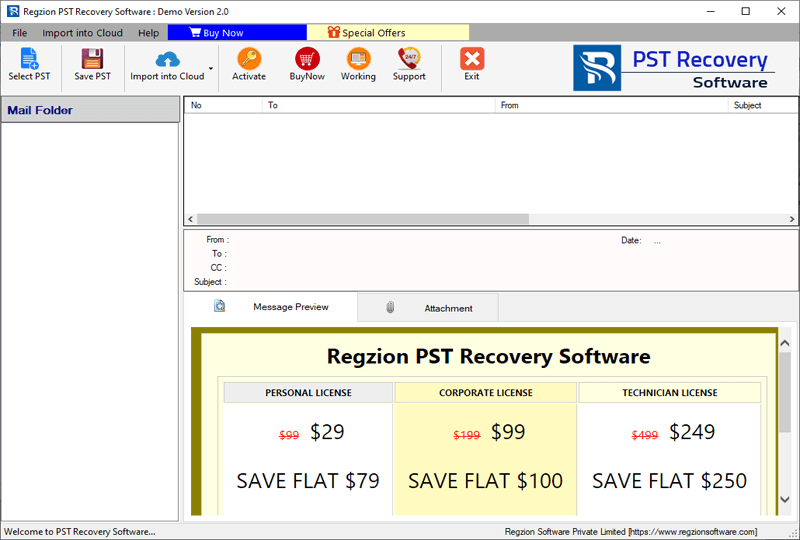
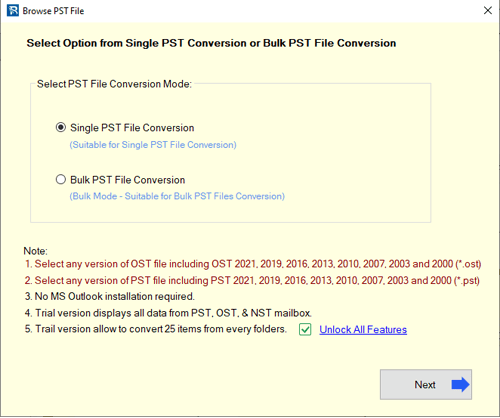
- Choose single PST file conversion or bulk PST file conversion method.
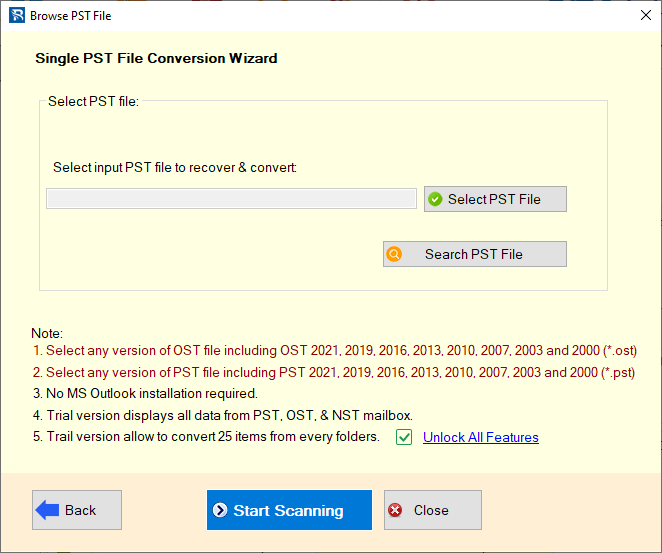
- Insert PST files with your chosen conversion mode and press Start Scanning button.
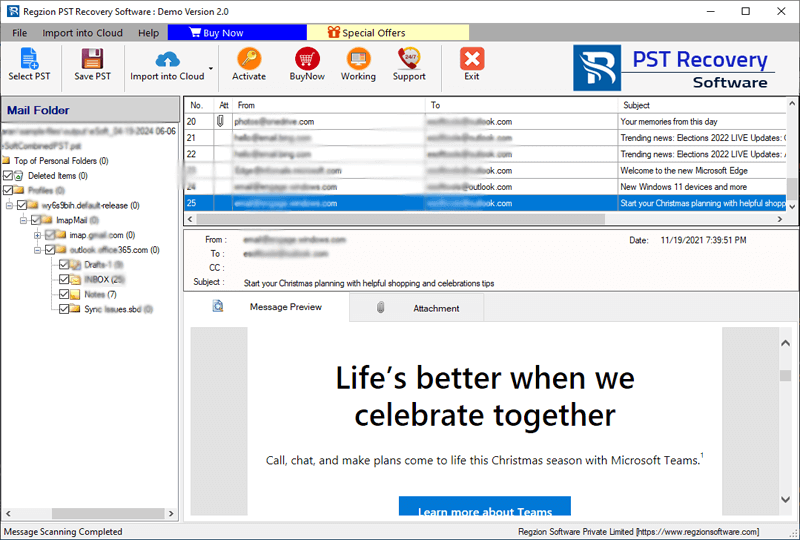
- Load the Outlook mailbox folders from PST files and choose the folders those you want to export.
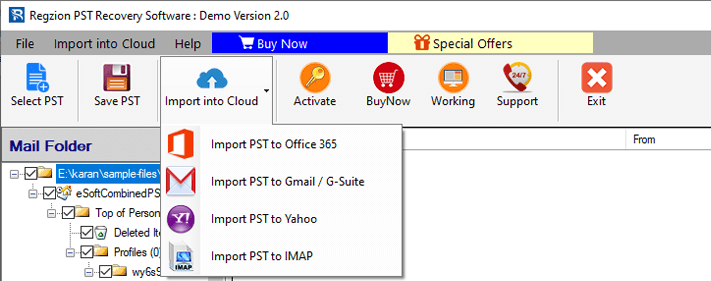
- Click on Import to Cloud butto and choose the Import PST to Office365 from drop down list of cloud migration options.
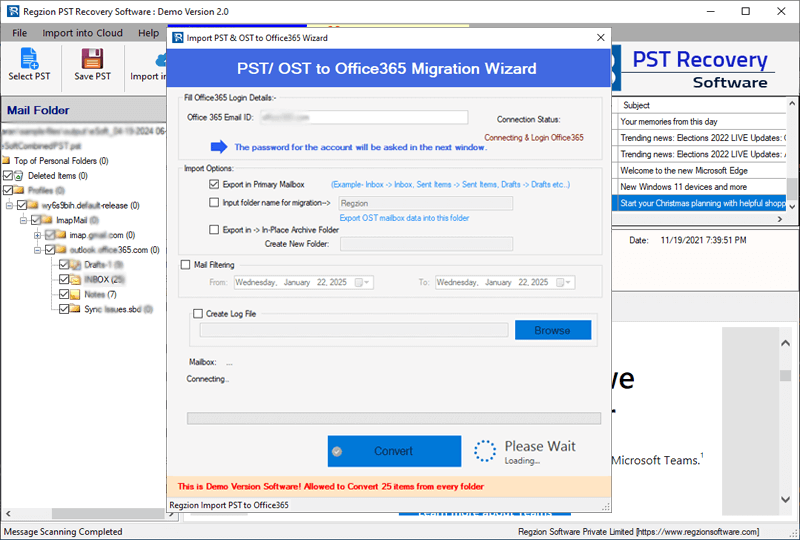
- Apply necessary settings for PST to office365 migration: –
- Import Options: – Choose the place in your Office365 account where you want to save PST files’ data. You can select from options – Primary Mailbox, New Folder (With custom name), or Export in-> In Place Archive Folder.
- Mail filtering: – select the date range of email those you want to export from PST file specifically. (Skip if don’t want to apply this filter).
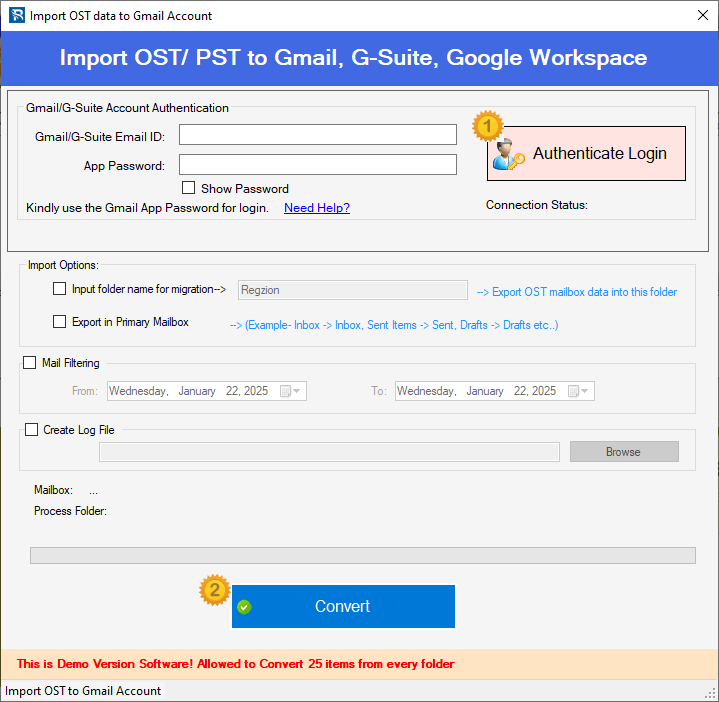
- Press, Convert button and start data migration from Outlook PST files to Office365 account.
Conclusion
Importing PST files to Office 365 can be beneficial for users in various cases. It provides better security, easier access, and smarter management for your Outlook data. To perform this operation easily, users can try Regzion PST Recovery software. This tool will allow you to perform a safe migration while preserving data integrity and folder structure.
Also, in the article above we have shown the whole process to smoothly complete the PST to Office365 migration. With this simple process, transfer all your emails, contacts, and calendar events from PST file to Office 365.


No Comments yet!