
PST files store various data of Outlook users and emails are also one of them. There are many cases like- Outlook crash, large size of PST file, or malware issue, which can cause problems in the PST file. This makes PST files inaccessible and emails are lost as a result. In this guide, we will show you quick and easy ways to export/recover emails from corrupt PST file. So, let’s start reading.
PST (Personal Storage Table) file is one of the data files of Microsoft Outlook. This file enables users to store Outlook profile data such as emails, contacts, calendar events and other data locally. While using Outlook, sometimes a situation may arise where this file becomes corrupt and inaccessible.
In such a situation, it becomes very difficult to access this PST file again and read important data (emails) from it.
Also Read: – How to Recover/Repair Corrupt Outlook PST File?
Causes of PST File Corruption
Before jumping into the recovery process, it is important to understand the reasons for corruption in PST file: –
- PST File Oversizing: – When a PST file exceeds the file size limit, this becomes a cause of corruption in PST file.
- Outlook Crash: – Incorrect termination of Outlook application or software crash problem can damage PST file.
- Virus Attack: – Malicious software present in the user’s computer can also infect and corrupt the Outlook PST file.
Method to Repair PST and Recover Outlook Emails
Here are some quick and effective ways to recover emails from corrupt Outlook PST files: –
Method 1: – Use Outlook’s Inbox Repair Tool (ScanPST.exe)
Outlook comes with a built-in repair tool known as ScanPST.exe and Inbox Repair Tool. It will help you fix minor corruption issues in PST files easily. You can use it as follows:
- Firstly, close MS Outlook application and visit to location scanPST.exe tool.
- Search scanPST.exe in the location: –
- C:\Program Files\Microsoft Office\root\Office (outlook version)\
- C:\Program Files (x86)\Microsoft Office\Office (outlook version)\
- After getting the tool, double-click on tool and launch it.
- Click on the Browse button and insert your corrupt PST file.
- Press Start button and begin the process of scanning PST for checking corruption problem.
- If it found any corruption problem, simply click on Repair and fix it.
After the completion of repair process open Outlook and again open PST file to view emails.
Method 2: – Automated Outlook Email Recovery Solution
If the ScanPST.exe tool doesn’t work in your case, the best solution is to use a professional Outlook email recovery tool (Regzion PST Recovery Software). This automated tool has the ability to recover Outlook emails, contacts, calendars, as well as other stuff from all PST files.
It supports recovery from corrupt or inaccessible PST files without the need for MS Outlook application. It provides advanced functions with easy-to-use interface to safely solve the corruption problem from PST files.
How to Export/Recover Emails from Corrupt PST File via PST Recovery tool?
Follow these simple steps to recover emails from corrupt PST file, using Regzion PST Recovery Software: –
- Download the exe file of Regzion PST Recovery Software and complete the installation process in your windows PC.
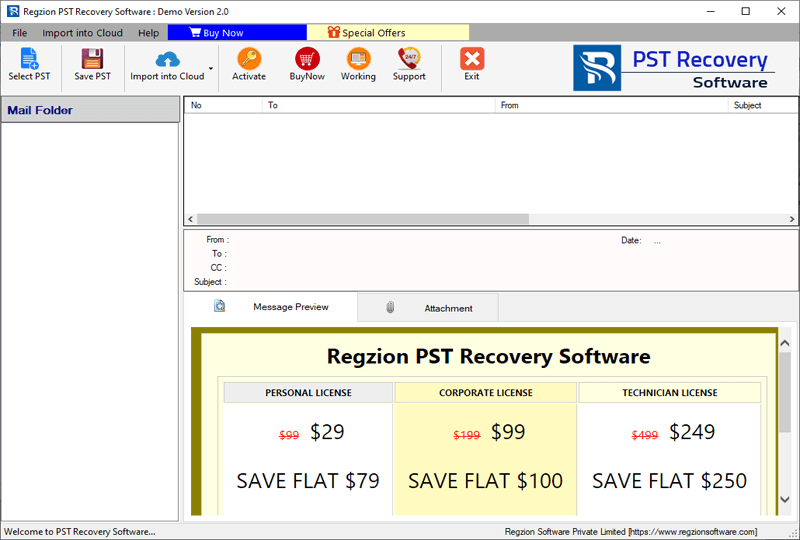
- Launch the software after installation, and click the Select PST button from main screen.
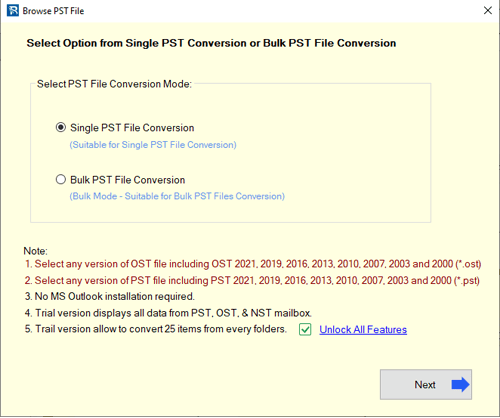
- Choose the Single PST File Conversion or Bulk PST File Conversion method (for adding PST files.)
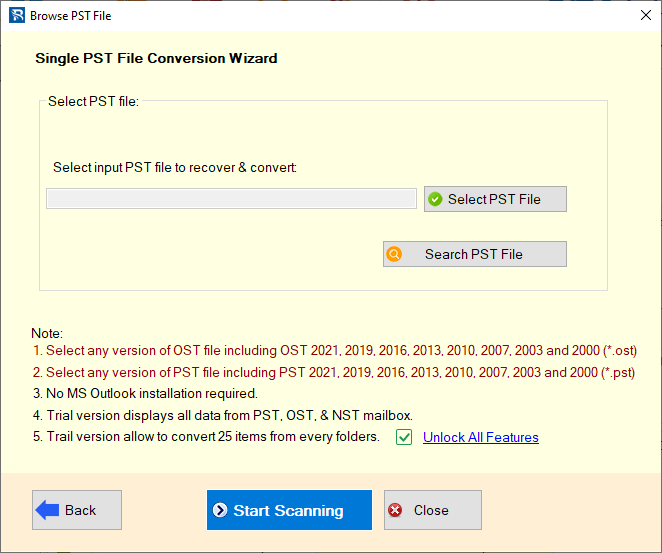
- Add PST file with your chosen conversion mode and press Start Scanning button.
- Software will scan PST file and show all available mailbox items from PST files.
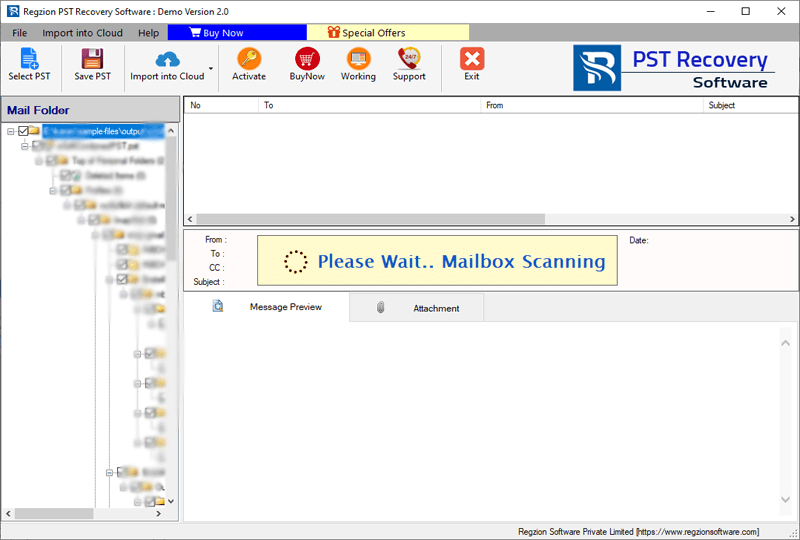
- Check emails and other items and make selection of necessary mailbox folders.
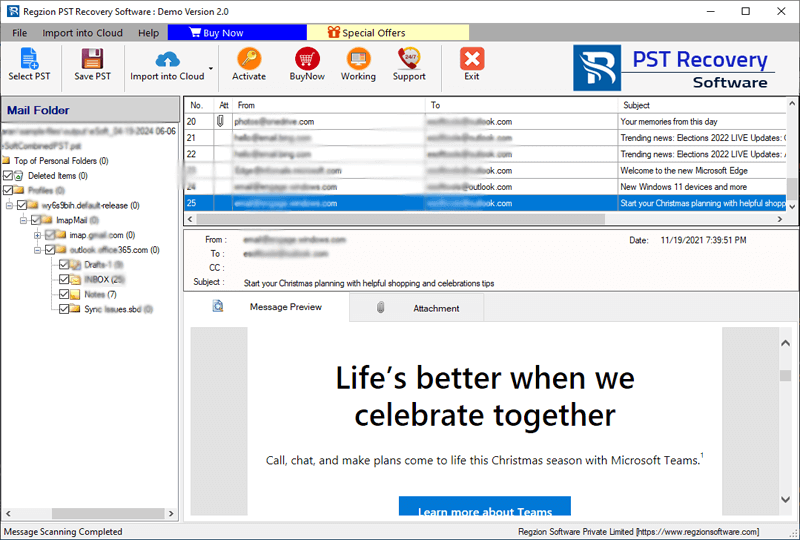
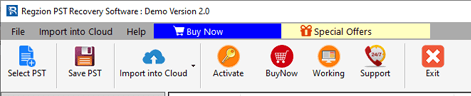
- Click on Save PST button, in the next screen you will get a list of conversion formats.
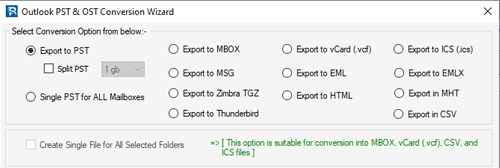
- Choose Export to PST or other available option in which you want to save recovered PST file’s emails.
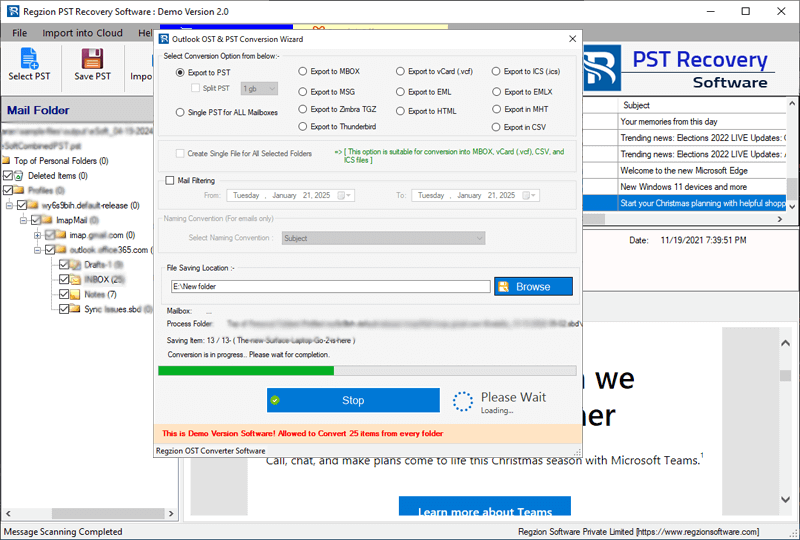
- Apply settings of mail filter, split PST, and other available options.

- Choose a location for storing resultant file (containing recovered PST file’s emails).
- Finally, hit on Convert and start recovering or exporting emails from corrupt PST files.
Wrapping Up
Recovering emails from a corrupted PST file is not complicated if you know the right technique. By following the methods outlined in this guide, you can successfully restore Outlook emails and also prevent the PST file from getting corrupt.
While Outlook’s Inbox Repair Tool (ScanPST.exe) can fix minor problems, for more serious corruption, the best solution is to use a specialized tool like Regzion PST Recovery software. It allows you to recover emails, contacts, and other Outlook data quickly and efficiently. To check out all its capabilities, you can also try its free demo version right now.


No Comments yet!