
Switching from Outlook to Yahoo Mail email service is a need of many individuals nowadays. This task may seem like a difficult task for a new user, especially when dealing with a PST file. Therefore, we are providing this article to help all the users. Here we will talk about some smart ways to import Outlook PST files to Yahoo Mail account quickly. Let’s dive in
Yahoo is an internet company that has been in existence for several decades. It is famous for its search engine (Yahoo Search), Yahoo Finance, Yahoo Mail, and more.
Yahoo Mail is an email program that allows Yahoo users to create and use a free email account. It is a web service by which users manage their emails from a web browser. Apart from this, Yahoo Mail mobile app is also available which enables users to access their email account through their mobile.
Moreover, Yahoo Mail is a user-friendly program and enables users to email smartly. Some more features in Yahoo Mail that attract users are its 1TB of free storage, custom folder options, sharing of attachments up to 25MB, and much more.
Also Read: – How to Import Outlook OST Files to Yahoo Mail: A Complete Guide
Why do users want to transfer emails from Outlook to Yahoo Mail?
- Email Access from Web: – Yahoo Mail is as web application and accessible from any device with an internet connection. It provides the convenience and mobility of accessing emails from different locations, but this not possible with Outlook desktop.
- Generous Storage on Cloud: – Yahoo Mail offers 1TB of free storage on cloud server. This allowing users to store a large number of emails and attachments without worrying about space limitations.
- Convenience for Personal Use: – Users prefer Yahoo Mail for personal use, as it has simpler features and is not as complex to setup as Outlook. (Outlook is often more suitable for business environments).
Quick Solution to Migrate Outlook PST to Yahoo Mail
For users looking for a more reliable and easy method to transfer their Outlook PST file data to Yahoo Mail, the best way is to use Regzion PST Recovery/Migrator software. This powerful tool helps to migrate Outlook PST files to various email platforms such as Yahoo Mail.
This software is ideal for both individuals and businesses. Moreover, the primary function of this tool is to recover PST files. It allows to get back all emails, contacts, calendars, and attachments and transfer them to Yahoo safely.
How to Export Outlook Emails from PST files to Yahoo Mail Account?
To easily transfer Outlook PST files to Yahoo Mail, follow this simple procedure via Regzion PST Recovery software.
- First of all, download Regzion PST Recovery software and install it on a Windows machine.
- Open this software and click the Select PST button from the first screen.
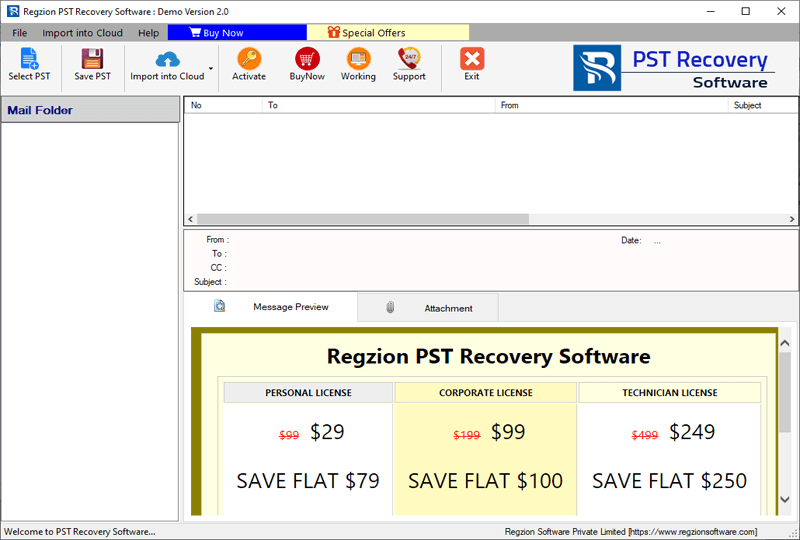
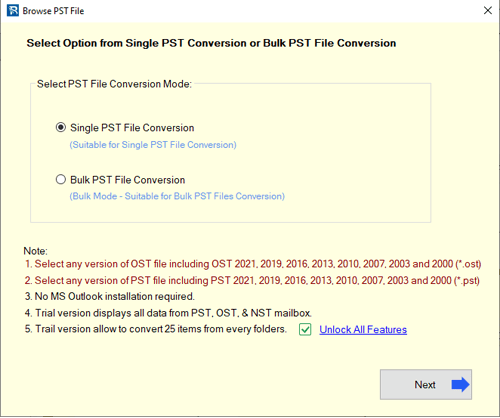
- Now select an option to add PST files “Single PST File Conversion” or Bulk PST File Conversion. (Choose to work with a single PST file or perform bulk/mass PST conversion).
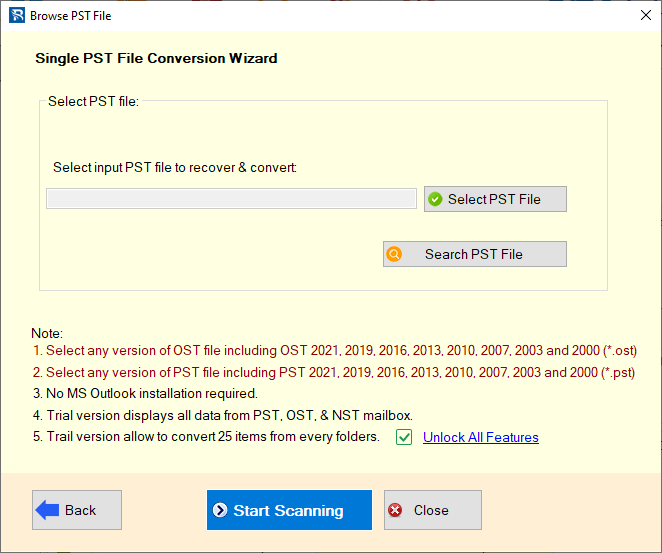
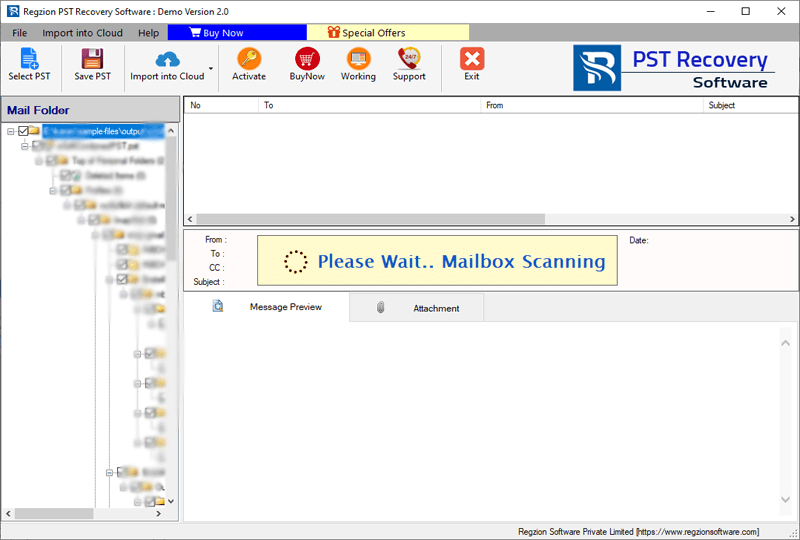
- Next, browse and select the PST file that you want to migrate. After this selection, click on the Start Scanning button to allow the software to scan the data available in the PST files.
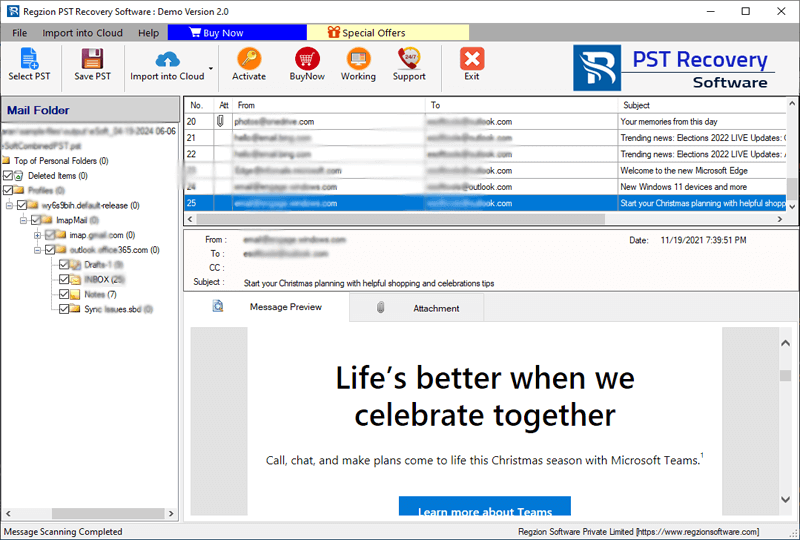
- Once the scanning is done, the software will display all Outlook mailbox content from PST. The software will show you complete folder with exact hierarchy and internal items of the PST file.
- Select folders from which you want to export items to Yahoo Mail account. Choose entire or specific folders (containing the necessory items) depending on your needs.
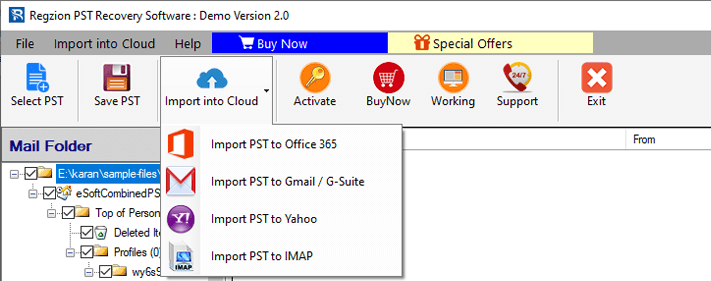
- After selecting the folders, click Import to Cloud, and then select Import PST to Yahoo Mail.
- Enter Yahoo Mail email address and app password and click on Authenticate Login button. (To connect with your Yahoo account).
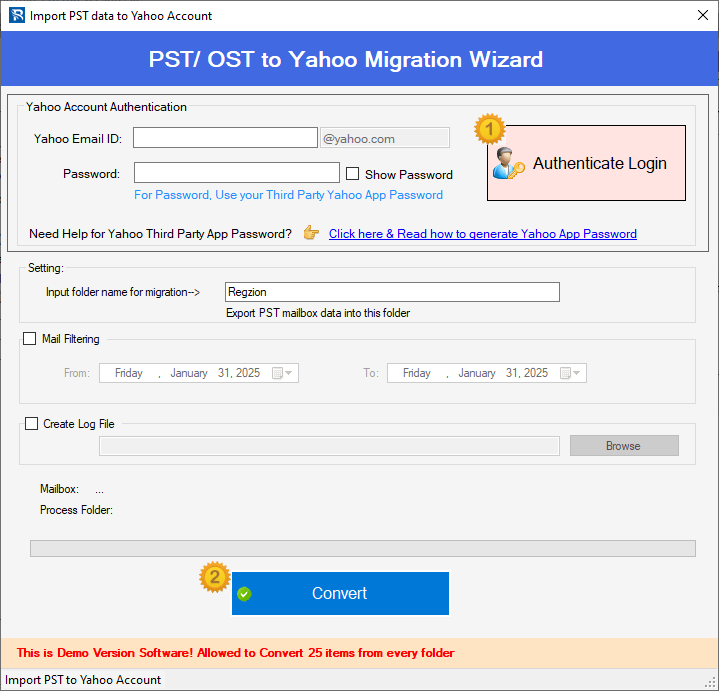
- Before migration, configure other settings as per your requirement, like email filtering or import options.
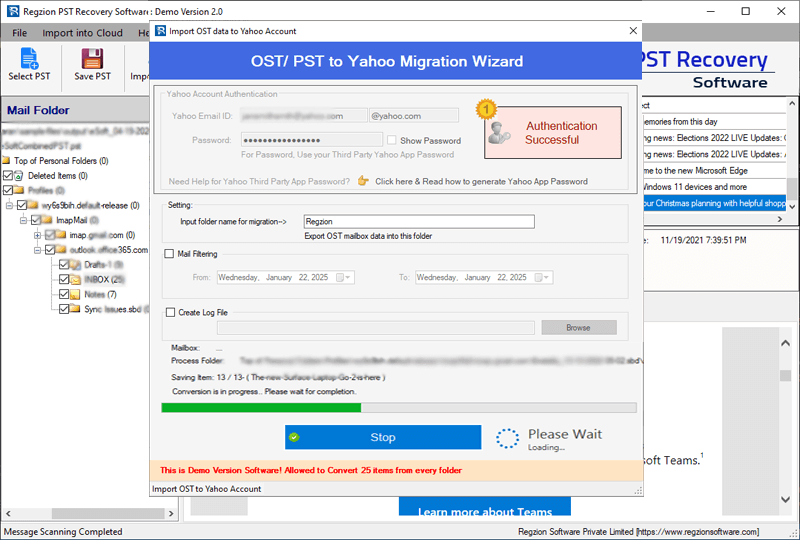
- Once you’re ready, click on Import to Yahoo button and Import Outlook PST file to Yahoo Mail.
Why Use Regzion PST Recovery Software? (Benefits and Features)
- Efficient PST Migration: – Supports to migrate all Outlook items from PST file instantly. Import Outlook PST file to Yahoo Mail with complete data and prevent information loss.
- User-Friendly Interface: – Has easy-to-navigate interface, suitable for both beginners and professional to complete migration quickly.
- Batch Conversion Support: – Lets you transfer multiple PST files at once, saving time for large transfers.
- Data Integrity Preservation: – Ensures easy transfer with complete security. Migrate all emails, attachments, contacts and other data without any loss or corruption issues.
- Flexible Export Options: – Select specific folders or emails (filter by date) to move. This will assist for a more customized migration.
- Secure Login Process: – Uses secure authentication methods to connect to your Yahoo Mail account. (Keeping your data safe).
- Fast and Reliable Solution: – Available for quick migration and also provides more settings to speed up migration. Ensuring minimum waiting time even for large PST files.
- Wide Compatibility: – Support all types of PST files for migration – both corrupted and healthy. Migrate PST file of all Outlook versions 2021, 2019, 2016, 2013, 2010, 2007, 2003, 2000 and older. Also, compatible with all Windows O/S versions (up to 11).
Conclusion
Migrating Outlook data to Yahoo Mail is not a difficult task. With Regzion PST Recovery software, you can easily and safely transfer Outlook PST files to Yahoo Mail. This reliable tool ensures data integrity, supports batch conversion, offers a user-friendly interface and a wide range of smart functions. It is suitable for both personal and business users.
So, say goodbye to manual processes and easily migrate PST to Yahoo Mail with the method shown above.

No Comments yet!