
Saving Outlook emails to HTML can be important for many MS Outlook users for multiple reasons. Are you one of them? If yes, then you are at your destination. Here we show you how to convert PST to HTML format and save Outlook emails as HTML? So let’s start.
MS Outlook is an emailing program that allows users to manage their email profiles from their desktop. It allows configuring and using multiple email accounts simultaneously. With MS Outlook, it is possible to access email accounts even in offline mode.
To do this Outlook stores the user’s email profile data locally in the form of a data file such as PST. This file stores every data associated with the user’s email profile such as emails, contacts, calendars, tasks, etc.
Saving data in PST files in Outlook is a great feature, but in many cases this file has some limitations, such as compatibility, large size, corruption issues, etc. This is why users prefer to export items from PST files to different file formats like HTML.
Also Read: – How to Convert OST to HTML files with Outlook Emails?
Why Convert PST with Outlook Email to HTML File?
- Separating email: – Converting PST to HTML allows users to extract and isolate important emails from a large PST file. This makes it easier to manage, organize, and access specific emails without needing an entire Outlook profile.
- Access in Web browsers: – It is easy to read data from HTML files in any web browser and also eliminates the need for MS Outlook. This increases the accessibility of your email across different devices and platforms.
- Cross platform compatibility: – HTML files are platform-independent, which means users can open them on Windows, macOS, Linux, and even mobile devices.
- Convenient sharing: – HTML files are lightweight and easy to share via email or file transfer. PST files, on the other hand, require Outlook to open and are difficult to transfer due to their large size.
Solution 1: – Save Outlook Email as HTML Using MS Outlook
Export Outlook emails from PST file to HTML by applying the given steps through MS Outlook application:-
- Launch MS Outlook application in your computer.
- Open the email profile or PST from which you want to extract emails.
- Select mail folders from your email profile and select or open an email.
- Click on the File tab from top menu bar, then press the Save As button from side bar.
- Choose a path from your drive where you want to save Outlook email as HTML.
- Input a file name, and select save as type: HTML (*.htm, *.html).
- Simply press the Save button and convert Outlook email into HTML file format.
Limitation of Manual Method (via MS Outlook)
- The whole process will be done by MS Outlook, so it requires MS Outlook application on user’s computer.
- Work only with healthy Outlook profile and PST files (does not work with corrupt PST).
- This is a time-consuming process, as it only saves one Outlook email at a time in HTML format.
- Possibility of human errors, as users must manually perform each step multiple times, one by one.
Solution 2: – Reliable Way to Convert PST Emails to HTML Files
A better solution to export Outlook emails from PST files to HTML files is to use the tool – Regzion PST Recovery Software. The smartest utility to recover and export data items from a PST file. It allows to export PST file’s items to multiple file types like HTML and more.
The reason to use this program is its ability to convert PST files without the need for Outlook. This software converts all types of PST files – corrupt, encrypt, oversize, and even healthy ones.
It not only converts one PST file with multiple emails but is also capable of converting emails from multiple PST files in single process. Besides this, this program also has many more smart options and functions that allow converting PST in a more accurate and easier way.
How to Convert PST to HTML format with Outlook Emails?
Convert emails from Outlook PST file to HTML with the help of Regzion PST Recovery software by following these steps:-
- Download and Run the Regzion PST Recovery software for windows.
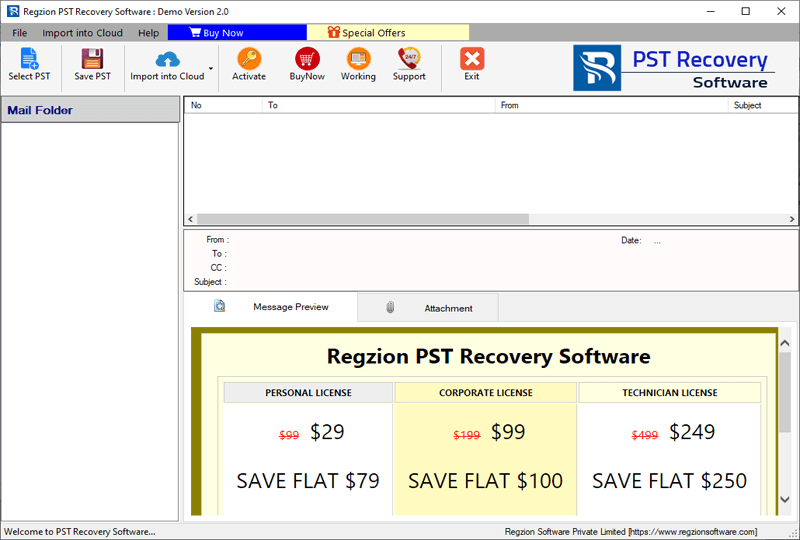
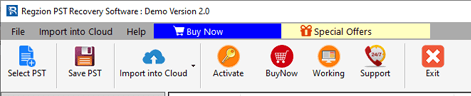
- Click on Select PST button from the option available in the menu bar.
- From the next screen select your preferred conversion mode: –
- Single PST File Conversion: – Importing a single PST file for conversion
- Bulk PST File Conversion: – Adding multiple PST files to convert them all at once.
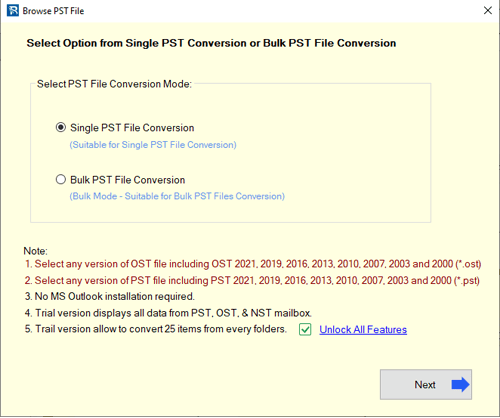
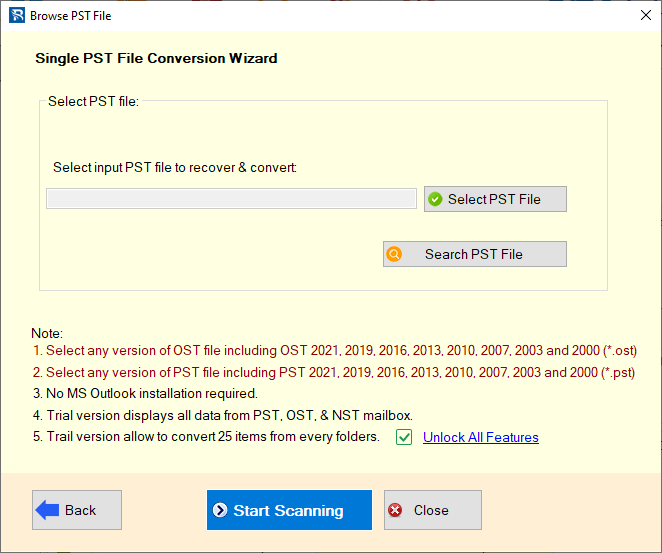
- After selecting conversion mode, add PST files with chosen mode and click on Start Scanning.
- Start loading data from Outlook mailbox folders from PST file into the software.
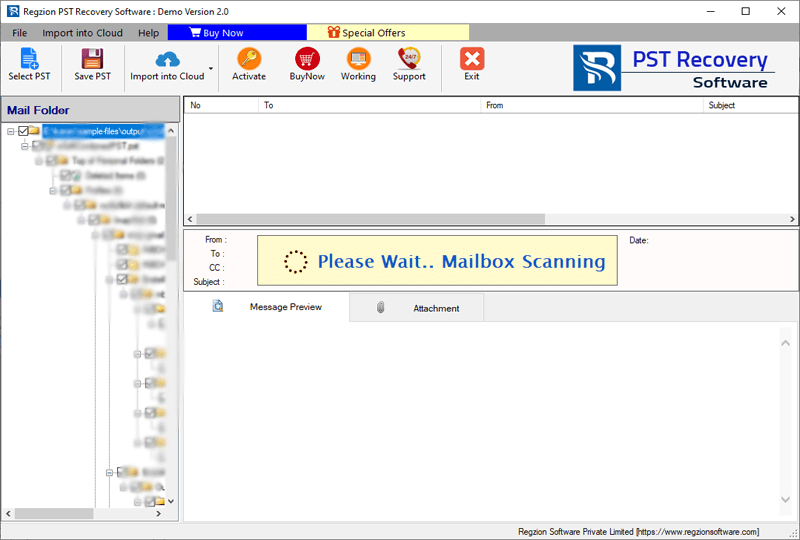
- Get preview of data items – Outlook emails, contacts, calendars, and more from PST file.
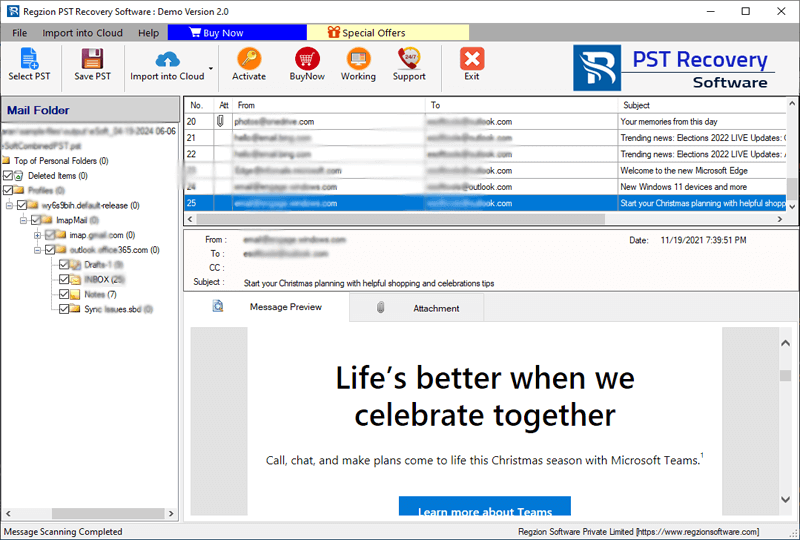
- Select mail folders from which you want to convert emails and press Save PST button.
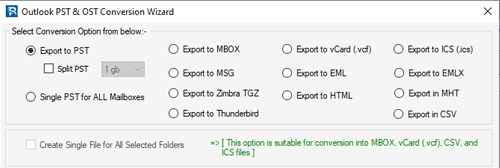
- Choose the Export to HTML conversion option and apply necessary selections and settings:-
- Save Attachment: – Save Outlook emails as HTML with relevant attachments (also link them with HTML files).
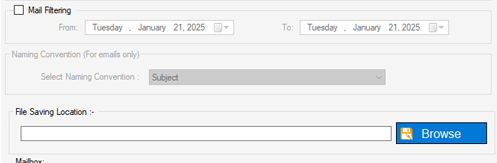
- Mail Filtering: – Select a date range to export only emails from a particular period from PST. (if you don’t want it then leave it)
- Naming Convention: – Choose a naming format from the dropdown list of 9 options available. With the chosen format, the software will name your new HTML files.
- Saving Location: – Specify the location on your machine where you want to store the new HTML files.
- Finally, click on Convert to export and save Outlook emails from PST to HTML files.
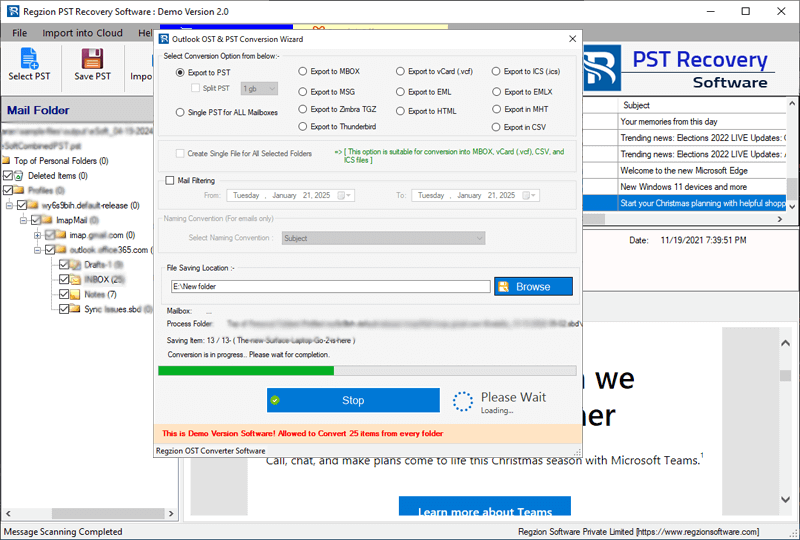
Now the software will complete the process in a very short time and provide you with new HTML files. After completion easily access the HTML files from any web browser and read Outlook emails.
Conclusion
There are many users of MS Outlook who want to convert PST files to HTML format. It provides better accessibility, sharing, and cross-platform compatibility. In this article, we have shown both manual and automatic methods with their complete step-by-step process.
The manual method of MS Outlook allows saving individual emails as HTML but has limitations like time-consuming, supporting only healthy PST file. But the method using Regzion PST Recovery software does not have these issues.
For a more efficient solution, use software like Regzion PST Recovery tool. It provides fast bulk conversion capabilities with support for all types of PST files and additional features.

No Comments yet!