
Do you want to export emails from Outlook PST files to EML files? If yes, then this article is where you will find the best way to do that. Here we will guide you to safely convert PST to EML and save Outlook emails as EML files. Let’s start.
There are many email client software available for desktop. MS Outlook email client is the most rated and popular among them. It is popular due to its advanced functions, easy interface and trust of Microsoft.
With the help of MS Outlook users manage their various email accounts like- POP, IMAP, Exchange etc. It allows sending and receiving emails securely from the desktop.
In addition, Outlook stores the user’s email profile data on the desktop’s hard drive. It keeps emails and other mailbox data safe inside a PST (Personal Storage Table) on the user’s drive.
Sometimes users need to extract emails from these PST files and save them to other files like- EML. There can be many reasons behind this for users.
Also Read: – How to Save/Convert Outlook OST Email to EML?
Why do users want to export Outlook emails to EML?
The main reasons for which users want to extract emails from PST files to EML are as follows-
- Separating Emails: – A PST file contains an entire mailbox with multiple folders containing a collection of emails, contacts and other items. On the other hand, EML stores individual items. For example- a single EML file will contain a single email. This helps users who want to save each of their emails as a separate file.
- Cross platform compatibility: – While a PST file only works with the Outlook application, EML on the other hand has support with a wide range of email applications. Saving Outlook PST emails as EML makes it possible for users to easily access the emails of their PST file outside of Outlook.
- Easy Access & Share: – The PST file is less convenient for data sharing, due to its Outlook-only architecture and its large size. But EML does not have these problems, making it a reliable medium for sharing email information.
Smart Solution to Convert PST to EML with Outlook Emails
One of the best methods that enables you to export Outlook emails from PST files to EML is Region PST Recovery/Converter software. This is a program that allows to convert PST files with Outlook emails, and other relevant information.
It converts multiple PST files simultaneously and saves each Outlook email as a separate EML file. It has powerful features like – email preview from PST files, export emails from selective folders, date-wise email filter/export, and much more. This tool exports each emails with all the relevant details without making a single unnecessary change in the data.
Steps to Save Outlook PST Emails as EML via PST to EML Converter tool: –
Get the Regzion PST Converter software, install it on your Windows computer, and apply these given steps for conversion: –
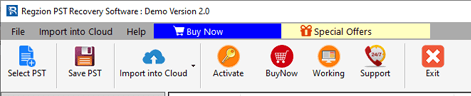
- Run the tool and press Select PST button from the top menu bar of the software.
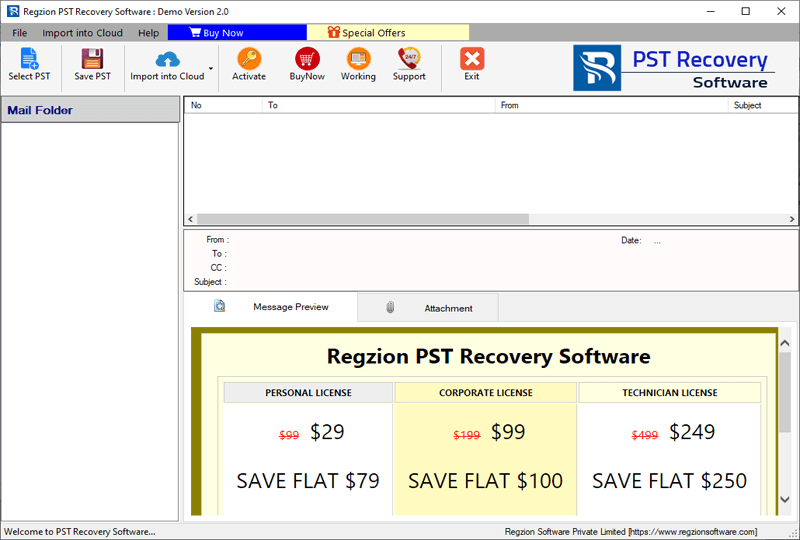
- Choose an option- Single PST File Conversion or Bulk PST file Conversion and click on Next.
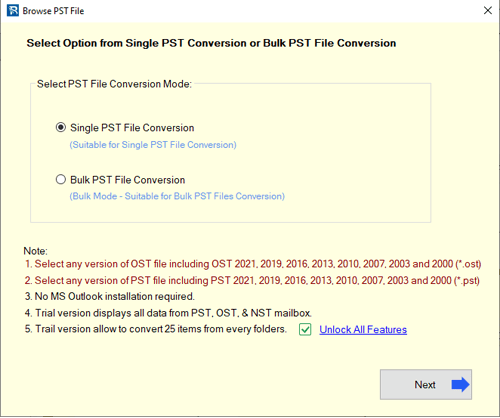
- Insert the PST files for extracting emails and hit on the Start Scanning button.
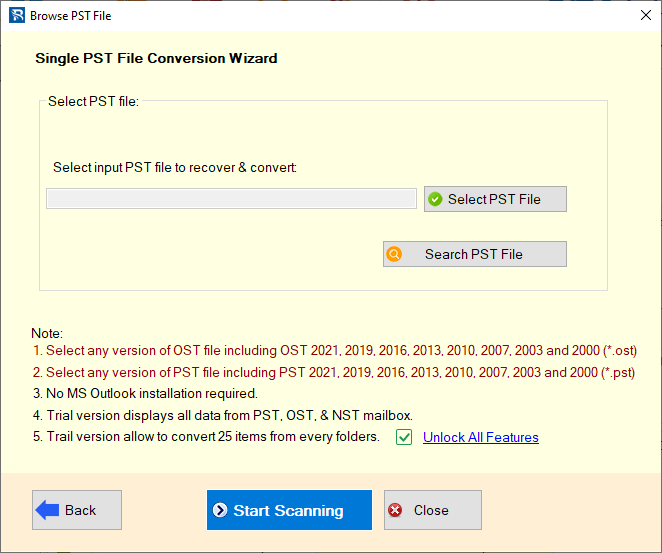
- Add mailbox folders and items from PST file and view them in the software’s preview panel.
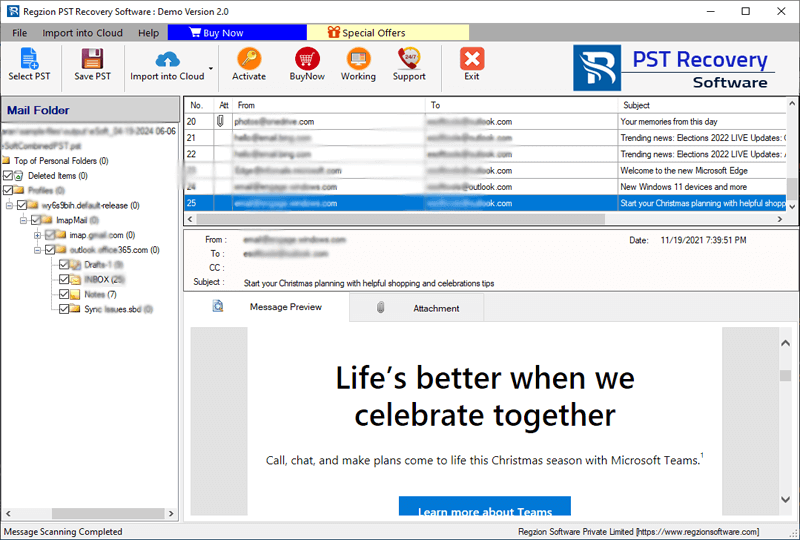
- Choose the needed mail folders and click on Save PST button.
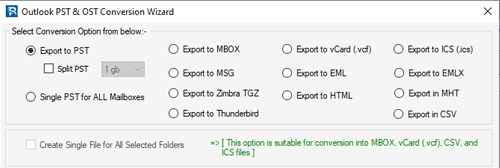
- Select the option Export to EML from the conversion option list.
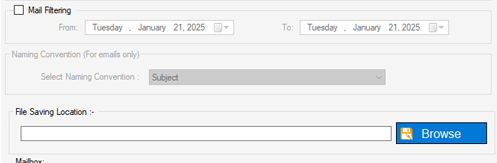
- Configure the necessary settings- Mail Filter, Naming convention, and saving location.
- Hit on Convert and start converting PST files to EML with your Outlook emails.
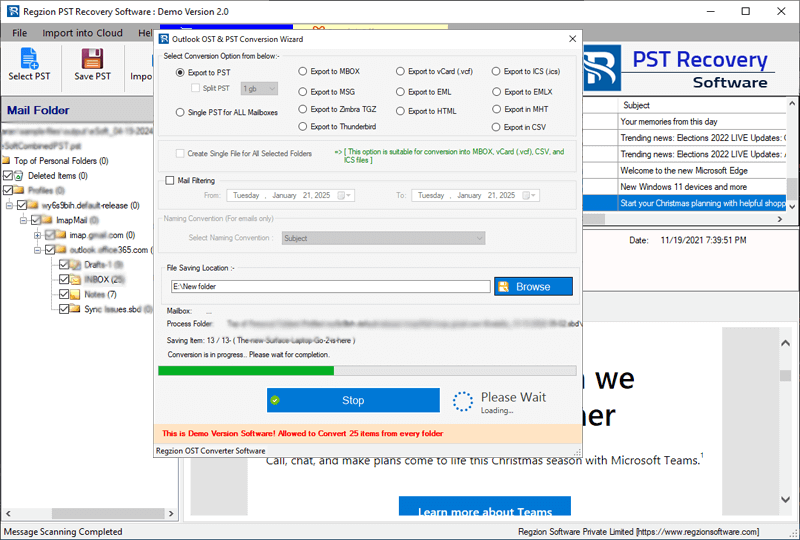
This software will provide you with new EML files, containing emails of your Outlook PST file. Now you can easily use it with any compatible application.
Conclusion
Whether for a personal organization or for business purposes, exporting Outlook emails to individual EML files offers better flexibility and convenience. With the help of a tool like Regzion PST Converter software, users can easily convert PST files to EML with ease. By following the steps shown above, anyone can efficiently extract and save their Outlook emails as EML files. Try the given method now.


No Comments yet!