
Many users want to migrate from Lotus Notes to Office 365, but cannot do so due to a lack of solutions. If you are looking to migrate from Lotus Notes to Office 365, you have come to the right place. In this blog, we will explain the easiest way to migrate from Lotus Notes to Office 365. So, let’s begin.
Overview
Lotus Notes (currently HCL Notes) and Office 365 are distinct email and collaboration platforms. While both applications facilitate email sharing, they are developed by different vendors and possess different features.
HCL/Lotus Notes enables users to share, manage, and access email accounts from their desktop, as well as create and manage contacts and calendars. Conversely, Office 365 lets users manage their email profile data straight from the web.
Office 365’s cloud-based architecture allows users to access their email profile data, as well as contacts and other information, from anywhere with an internet connection.
This is especially useful for remote and mobile staff who need to access their information on the move. That’s why most Lotus Notes users are looking for reliable ways to transfer their data, including contacts, from Lotus Notes to Office 365.
Also Read:- How to Convert PST to ICS with Outlook Calendar: Step-by-Step Guide
Instant Solution to Lotus Notes to Office 365 Migration
Use Regzion NSF Converter Software to migrate from Lotus Notes to Office 365. You can easily migrate your Lotus Notes data to Office 365 with just a few simple clicks. Convert NSF files with this tool and easily migrate all components. Export all mailbox items, such as emails, contacts, calendars, journals, tasks, notes, and custom folders, during the conversion. You can easily select the folders containing the items you want to export. Select the required folders from the preview panel on the left and export items only from the selected folders.
How to Lotus Notes to Office 365 Migration
- Download, install, and run the Regzion NSF Converter software on a computer with a Windows operating system.
- Click the “Select NSF” button on the main screen; this is the first step.
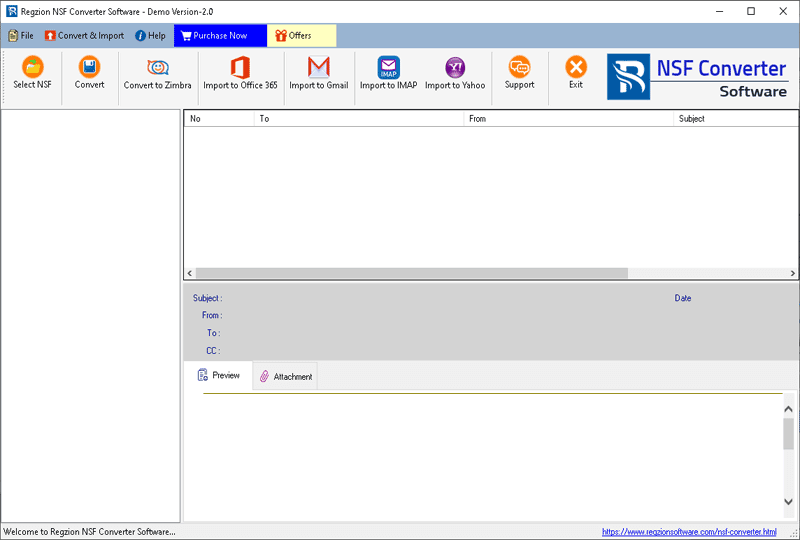
- Choose your preferred conversion option: Single NSF File Conversion, Bulk NSF File Conversion.
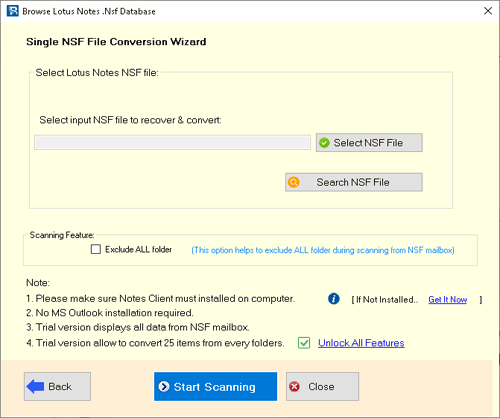
- Scan the NSF file to import Lotus Notes mailbox folders and items.
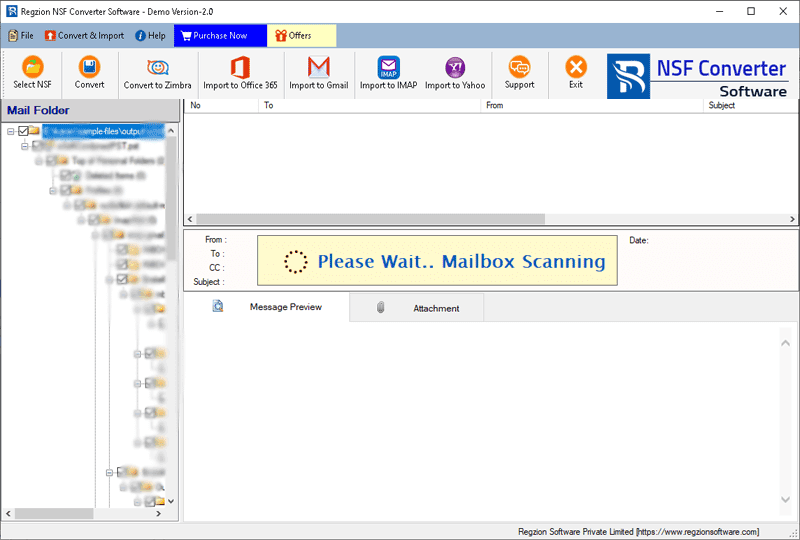
- Once scanning is finished, view all available mailbox items from the NSF file directly within the software.
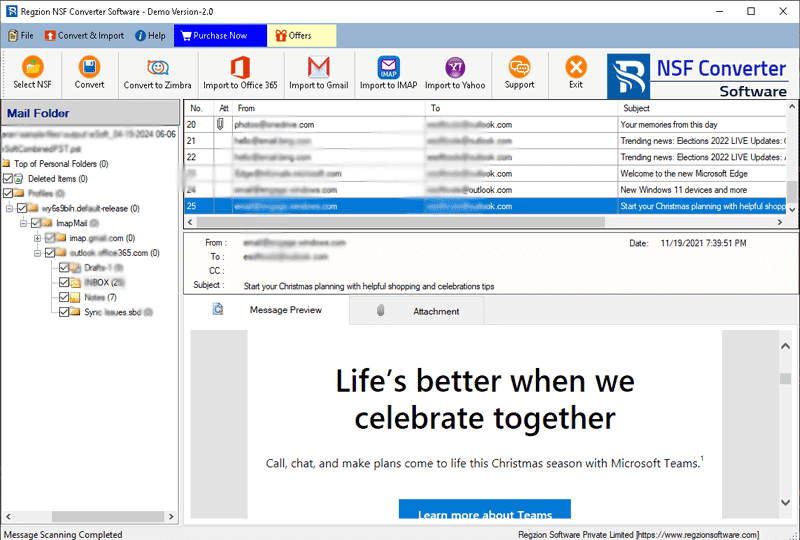
- Select the folders to export from NSF files, then click the button in the menu bar to choose the cloud mail app where you want to import them.
- Apply the required options to migrate NSF to Office 365:-
- Type your Office365 email address.
- Select your preferred import option: Export in Primary Mailbox, Input Folder Name For Migration
- Mail Filter: Define a date range to filter emails migrating from your NSF file mail folders.
- Create Log File: – Choose a location on your hard drive to save the generated log file for tracking the migration process.
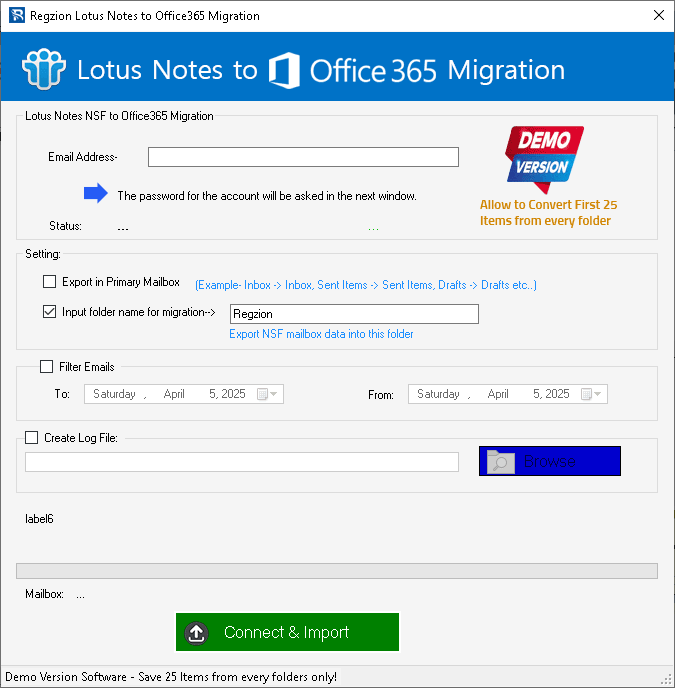
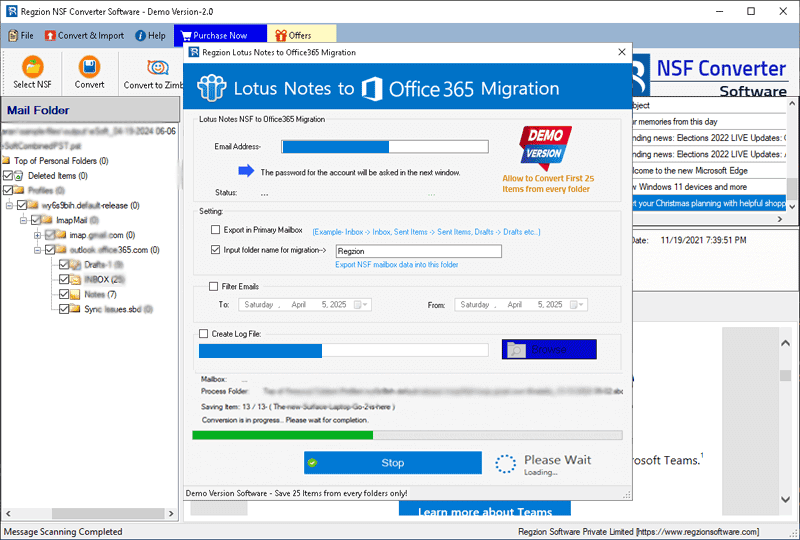
- Click Convert, log in to your Office 365 account on the next screen, and begin the NSF to Office 365 migration.
Key features of Regzion NSF Converter Software
- The best method to convert HCL/IBM or Lotus Notes (all versions) NSF files.
- Convert NSF format to PST, EML, EMLX, MSG, HTML, MHTML, MBOX, Thunderbird, vCard, CSV, ICS, and Zimbra with ease.
- Convert single or multiple Notes NSF files within one task.
- Open the NSF file directly and view the internal data within the software.
- Convert NSF files containing all Lotus Notes mailbox items, such as emails, contacts, calendars, journals, and tasks.
- Convert NSF files of any size without restrictions.
- It can be easily operated by both experienced and inexperienced users.
Conclusion
The process of migrating from Lotus Notes to Office 365 can seem daunting, but the steps in this blog post simplify the process. Regzion NSF Converter Software facilitates a smooth migration while protecting all your important contact data. Try the software for free with the demo version before purchasing a paid license. With the demo version of NSF Converter, you can convert up to 25 items from each NSF file using any of the conversion options without spending a dime.
FAQ
Yes, this software supports both single and batch file conversion.
Yes, this software helps open NSF files and displays all the internal items within them.
This single software allows users to easily convert NSF to 12 different file formats. You can easily convert NSF to PST, EML, EMLX, MSG, HTML, MHTML, MBOX, PDF, vCard, CSV, ICS, and TGZ for Zimbra and Thunderbird.
Yes, the software allows users to easily convert all NSF file types, including Names.nsf, and migrate mailbox elements like contacts, emails, calendars, journals, tasks, and notes.

No Comments yet!