
Trying to transfer mail folders from Outlook email profile to Thunderbird email client? After searching and trying many methods still unable to find the right way that can help you? If yes, then your search is over by coming to this article. Here you will be show you complete steps to quickly Outlook PST Files to Thunderbird. Let’s begin.
MS Outlook is one of the most popular applications from Microsoft that comes under the MS Office suite. The job of this application is to enable users to manage their email account from the desktop.
It allows sharing of emails and other tasks such as contact/calendar management, creating notes, etc. Outlook performs every operation with the user’s email profile and allows creating local copies of them.
Outlook’s PST (Personal Storage Table) is the file type uses to create Outlook profile data items locally. A PST file supporting hold every component of an Outlook profile including- mail folders, contact, calendars, tasks, notes, and much more.
There are several benefits of storing data in PST file like- making backup, transferring data to different platforms, restore lost items, etc.
Also Read: – How to Import Outlook emails from OST to Thunderbird?
Mozilla Thunderbird – Overview
Just like Outlook, there is also an open-source email client that we know as Mozilla Thunderbird. This application is offered by the Mozilla brand, (the same company that offers the Firefox web browser).
The major functions that Outlook offers are also available in the Thunderbird email client and that too at zero cost. This is why it is the next primary choice after Outlook as the best email client for many users.
It stores users data locally just like the Outlook email client. Not a PST, but Thunderbird is able to save mail folders locally as an MBOX file.
Why users want to migrate from Outlook to Thunderbird?
There are several reasons why users choose to migrate from Outlook to Thunderbird:
- Cost Considerations: – Thunderbird is free, while Outlook is part of the Microsoft Office suite that costs a fee.
- Cross-Platform Support: – Thunderbird is available for multiple operating systems, while Outlook mainly focuses on working on the Windows.
- Simple Interface: – Thunderbird offers an intuitive and user-friendly interface, which many find easier to navigate than MS Outlook.
Great Way to Import Outlook PST to Thunderbird Directly
The most powerful, smartest, and securest solution to Outlook PST Files to Thunderbird is the Regzion PST Recovery/Converter Software. This tool comes with function to directly import mail folders from PST files to Thunderbird email profile.
Through this program, users can export mail folders from multiple PST files at once. Moreover, it can also migrate PST with some selected mail folders. Not only this, for more accurate migration results, it offers a wide range of smart options and features like- email filter, email preview, and much more.
How to Migrate Outlook PST to Thunderbird via PST Converter Software?
Quickly follow the steps shown here to smoothly export Outlook mailbox folder from PST files to Thunderbird email client: –
- Download Regzion PST Recovery Software and perform its installation in a Windows PC.
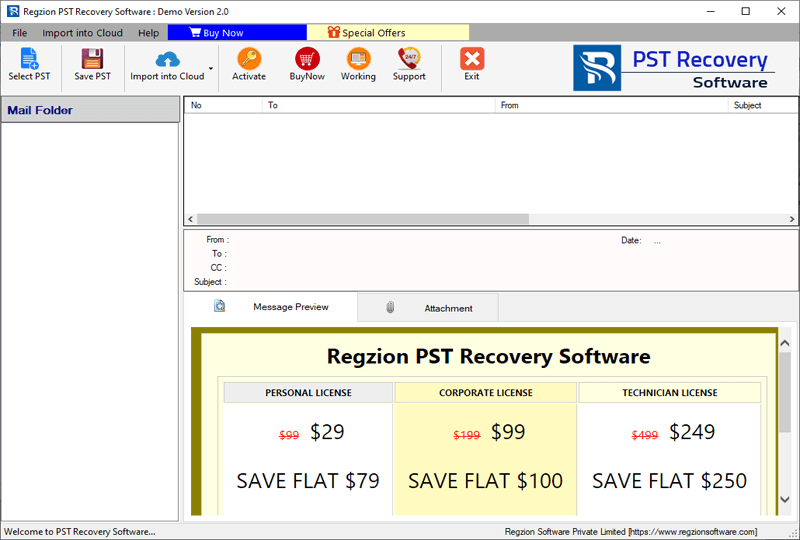
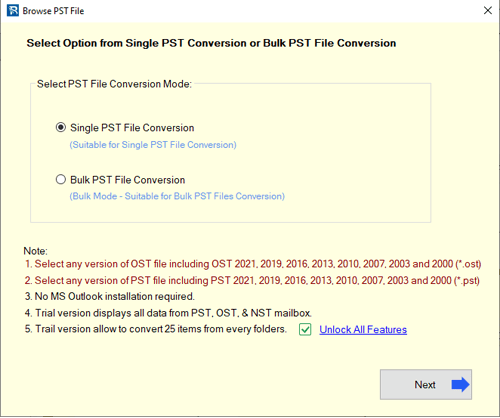
- Click on Select PST button and choose option of conversion Single PST or Bulk PST.
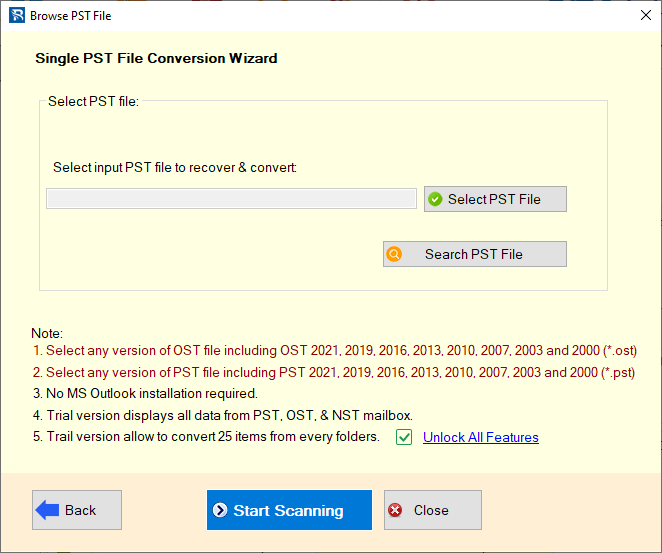
- Insert the PST files with your chosen conversion method and click on Start Scanning.
- Load Outlook mailbox folders and items from your PST file into the software.
- Click on folders available in your PST files and select them for export process.
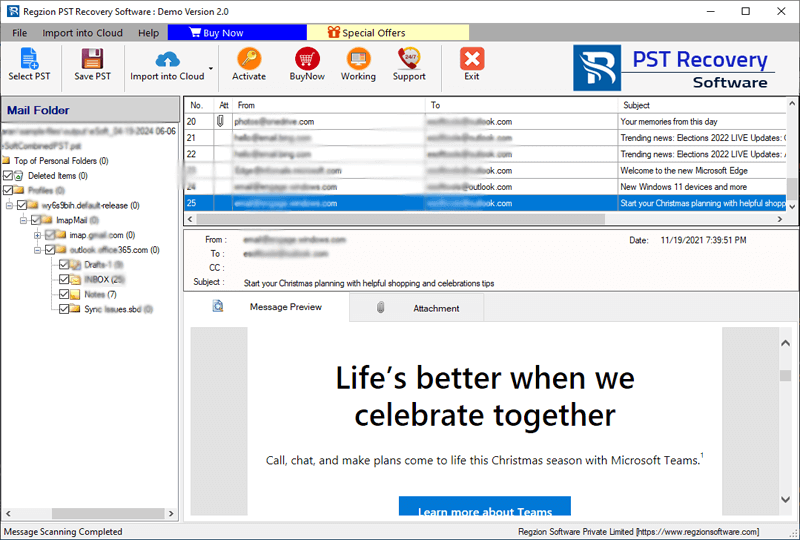
- Hit Save PST button and choose conversion option Export to Thunderbird from next screen.
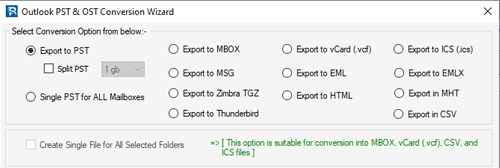
- The software will auto-detect thunderbird profile storage location. (Only if users have Thunderbird software in their machine).
- Apply the mail filtering setting for export email based on date. (Skip if not necessary).
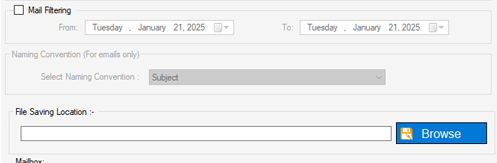
- In the last steps, you just need to click on Convert button and start the import process.
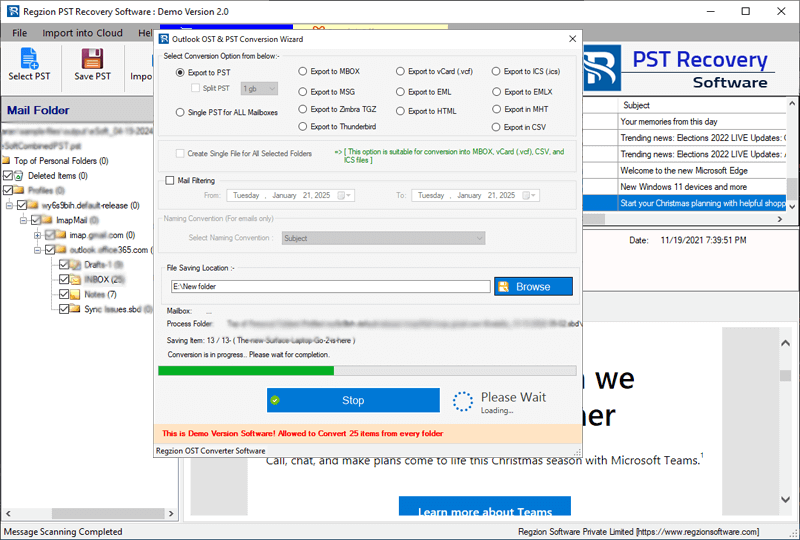
This software will migrate Outlook mail folders from your PST files to Thunderbird email profile default storage, and show you immediate results.
Conclusion
Nowadays many users want to transfer data from Outlook email client to Thunderbird. But the only method that can help users is the one we have provided through this article. You can try Regzion PST Recovery/Converter software and complete the migration by applying the easy steps shown above. Also, its free demo is available, use this tool now without wasting more time.


No Comments yet!