Convert Thunderbird Files with Email & Attachments to 12+ File Formats


Easily view your Thunderbird emails directly outside of the Thunderbird email client. Read Thunderbird emails with attachments and header information with multiple viewing options.
Available Pro/Pro+ editions enable Thunderbird email conversion, data extraction, & cloud migration.



"Safest and easiest way for easily for Viewing Thunderbird email with Thunderbird email client."
- By TechRadar

"Ideal solutcion for users looking for an intuitive solution to view and organize Thunderbird email files."
- By CNET

"An excellent option for smoothly accessing and previewing emails from MSF, MBOX, and other Thunderbird Mail files."
- By PCMag

Pro Edition Features:
Pro+ Edition Features:
Regzion Free Thunderbird Email Viewer software
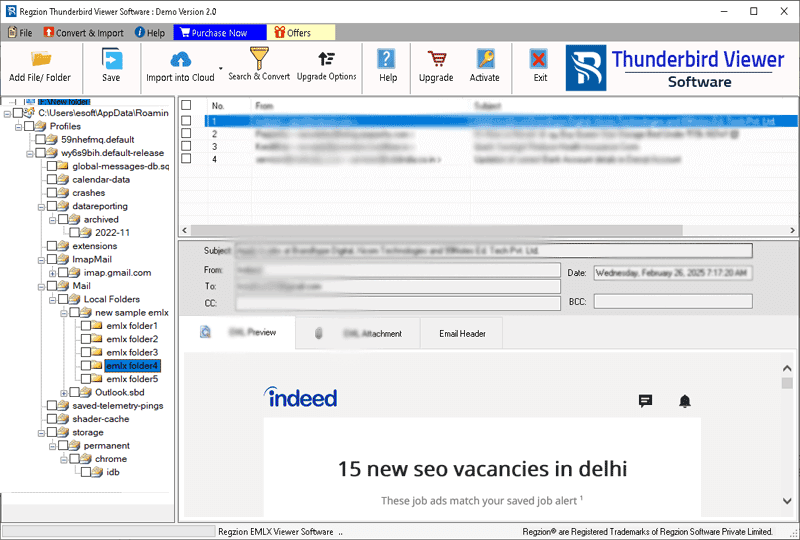
Easily view your Thunderbird emails without the need for a Thunderbird email client. Allows opening Thunderbird Mail files and displaying email content in its original format along with attachments, images, headers, and other information. Ensures a seamless email viewing experience while preserving all email details.
Note: - Upgrade to Pro or Pro+ version is also available for advanced features.

 Pro
Pro
Convert your Thunderbird email files into various formats including PST, MSG, EML, EMLX, HTML, MHTML, PDF, Zimbra, NSF, CSV, and more. The Pro version allows you to smoothly perform conversion to make Thunderbird email compatible with other email clients and platforms.
 Pro
Pro
Thunderbird Email Viewer Pro Edition lets you easily extract important information from your Thunderbird emails, including phone numbers, email addresses, and attachments. Quickly get these important information from Thunderbird emails for easy analysis.
The Pro+ version offers the ability to migrate Thunderbird emails to popular cloud platforms like Gmail, Yahoo Mail, Office 365 and IMAP accounts. Enjoy efficient email migration with just a few simple clicks. Migrate emails without losing a single detail.

Effortlessly open Thunderbird mail files and read email from them without Thunderbird email client need. Support a wide range of Thunderbird mail files. Whether you're working with MBOX, MSF, or other Thunderbird file types, you can easily access emails from all with ease.

Open each email in its own dedicated window for a detailed viewing experience. By simply double-clicking on any email, you can instantly open it in a separate window. Allows easy navigation and in-depth review of email information. Makes it easier to manage large volumes of emails.
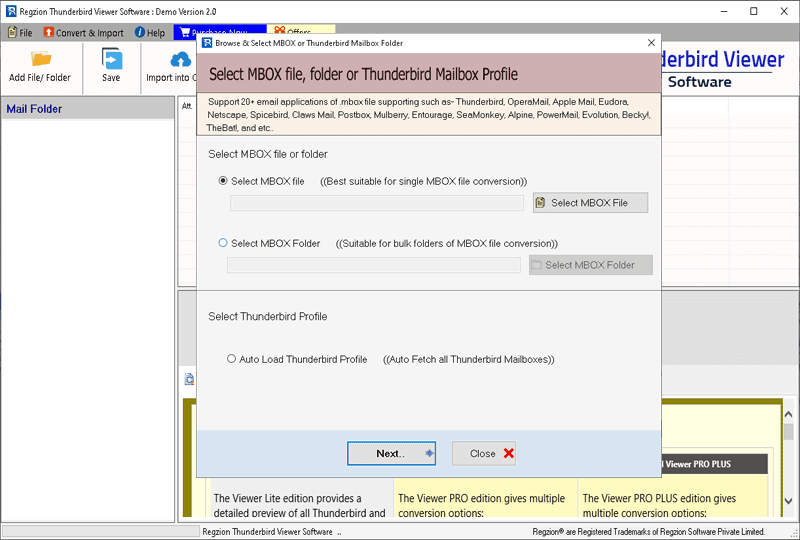
Import Thunderbird email files with these 3 available options: -

Displays thunderbird emails exactly as they were in Thunderbird mail files, with all text, images, hyperlinks and styling fully intact. Whether your emails are in HTML, rich text or plain text format, the software preserves every element, displaying the content exactly as it was originally formatted.
The software is fully compatible with all versions of Thunderbird application and supports all types of Thunderbird mail files including MBOX, MSF, MBOX without extension and more. Comprehensive support for all your Thunderbird email management needs, no matter which version of Thunderbird email client or file type you are using.
Designed with simplicity in mind, this software has an intuitive interface that ensures smooth navigation and efficient email access. Whether you are a beginner or a professional, the user-friendly design makes it easy to open, view, and organize your emails with minimal effort.
This software is fully compatible with all versions of Windows, including Windows 11, 10, 8.1, 8, 7, XP, Vista, and older releases. This ensures reliable performance across a wide range of systems, providing a consistent and hassle-free experience regardless of your Windows version.

Advanced Features available in Pro or Pro+ edition of Thunderbird Viewer:
Convert Thunderbird Files with Email & Attachments to 12+ File Formats
Migrate Thunderbird Email files to Cloud Email Platform.


Extract and Collect Key Data from Thunderbird Emails.
Email Address
Phone Number
Attachment
| Trial Version ( Free) | Pro Edition ($59) | Pro Plus Edition ($69) | |
|---|---|---|---|
| Open and View Thunderbird Email | ✓ | ✓ | ✓ |
| Single or Bulk Thunderbird Mail File adding | ✓ | ✓ | ✓ |
| Auto-Load Thunderbird Email files | ✓ | ✓ | ✓ |
| Thunderbird Folder Selection mode | ✓ | ✓ | ✓ |
| Thunderbird Email Preview on Separate Screen | ✓ | ✓ | ✓ |
| Email Header Preview | ✓ | ✓ | ✓ |
| Extract Email Address/ Phone Number and Attachment | × | ✓ | ✓ |
| Thunderbird Email Conversion | × | ✓ | ✓ |
| Thunderbird to Cloud Migration | × | × | ✓ |
| Free Download | Purchase Now | Purchase Now |
| Version: | 2.5 |
| Available License: | Personal, Corporate, & Technician |
| Email client: | Mozilla Thunderbird |
| Thunderbird App Version | 1.0, 2.0, 3.0, 5.0, 6.0-13.0, 24.0, 38.0, 45.0, 52.0, 60.0, 68.0, 78.0, 91.0, 102.0, 115, 128.0, 136.0, and others |
| File type: | MBOX, MSF, MBOX without extension, SBD Folder |
| Processor: | Intel® Pentium Class (x86, x64) or equivalent |
| Hard Disk Space: | 50 MB of free hard disk space |
| RAM: | Minimum 512 MB is required |
| Windows O/S: | Win 11/ 10/ 8.1/ 8/ 7/ XP/ Vista and older editions. |
| Electronic: | YES |
| Mode: | Delivery by E-mail |
| Weekends Delivery: | YES |
Note: - For a closer and more detailed view, double-click any email to open it in a separate window.
Thunderbird Email Viewer is a tool that allows you to open and emails from Thunderbird email files (MBOX, MSF and others) without the need for a Thunderbird client.
Yes, this software supports all versions of Thunderbird, from the first release (1.0) to the latest version (138.0), which ensures full compatibility with all Thunderbird mail files.
Yes, with the Pro version, you get the power to convert Thunderbird emails into various formats, including PST, MSG, EML, EMLX, HTML, MHTML, PDF, Zimbra, NSF, CSV, etc.
The Pro version also enables you to extract important email data, such as phone numbers, email addresses and attachments, directly from Thunderbird emails.
Yes, the Pro+ version allows you to migrate Thunderbird emails to cloud platforms such as Gmail, Yahoo Mail, Office 365, and IMAP accounts seamlessly.
Yes, the basic version of the software is free and allows you to open and view Thunderbird email files for free. For additional features like email conversion, data extraction, and cloud migration, you will have to spend a little to upgrade to the Pro or Pro+ versions.






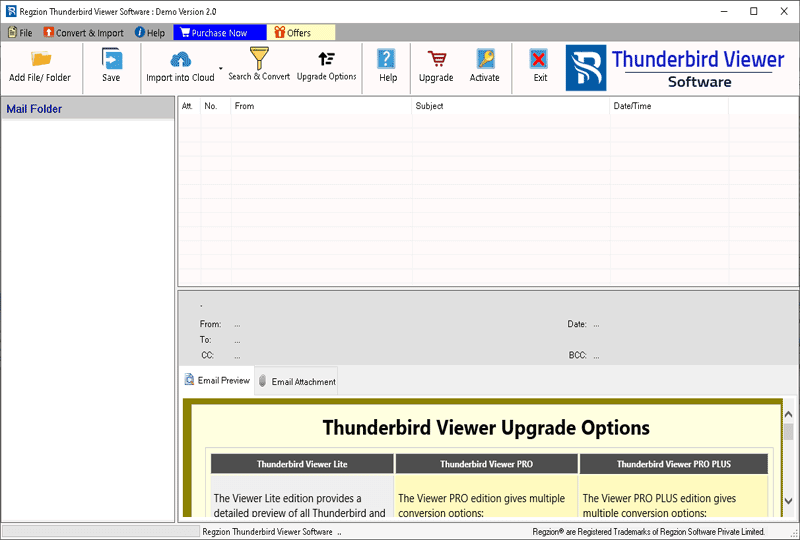
Thunderbird Viewer Software first screen
Add Thunderbird files
Thunderbird Email Preview