How to Use "Regzion EML Converter" Software
Regzian EML Converter is a versatile tool for converting EML files into 11 different formats, including Outlook PST, MSG, MBOX, PDF, and more. With a user-friendly interface, it allows users to convert individual EML files or entire EML folders. Also, capable of opening EML files directly and previewing emails with metadata and other properties. In addition, supports EML emails to cloud migration (Office 365, Gmail, IMAP).
Software Guide
-
#1 - Open EML file
- Select EML File
- Select EML Folder
-
#2 - EML Conversion
- Convert EML to PST
- Convert EML to EML
- Convert EML to EMLX
- Convert EML to MSG
- Convert EML to HTML
- Convert EML to MHTML
- Convert EML to MBOX
- Convert EML to CSV
- Convert EML to PDF
- Convert EML to NSF (Lotus Notes)
- Convert EML to TGZ (Zimbra)
- Convert EML to Thunderbird
-
#3 - EML Migration
- Migrate EML to Gmail
- Migrate EML to Yahoo Mail
- Migrate EML to Office365
- Migrate EML to IMAP Webmail
-
#4 - Extract EML Email Items
- Extract Phone Number
- Extract Email Address
- Extract Attachment
Steps to Open EML file in Regzion EML Converter Software
Step 1 ) Download Regzion EML Converter software perform its installation on your windows computer.
Step 2 ) Press "Select EML File/Folder" button from the top menubar of the software.
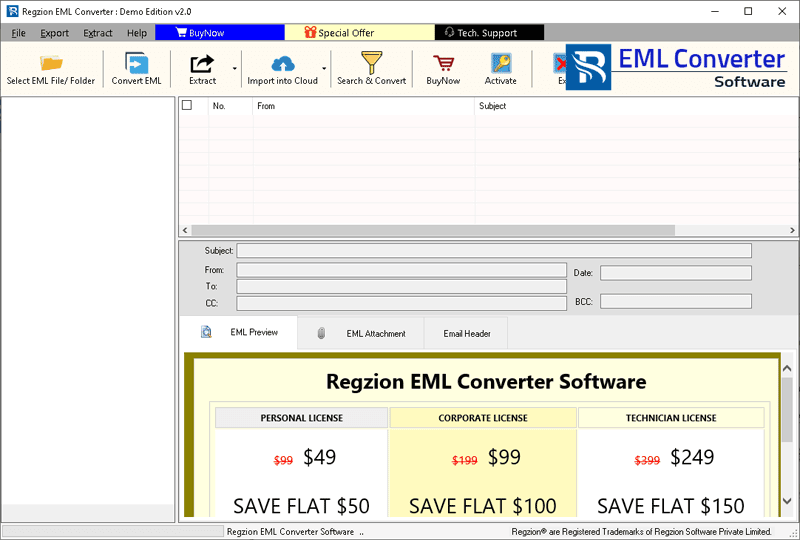
Step 3 ) Choose a method of adding EML files for conversion process: -
- Select EML File: - Visit to the folder that containing EML files and add single or multiple EML file manually.
- Select EML Folder: - Add a complete folder and add their inner folder and load EML files from them in software.
Click on Next and load EML files into the software.

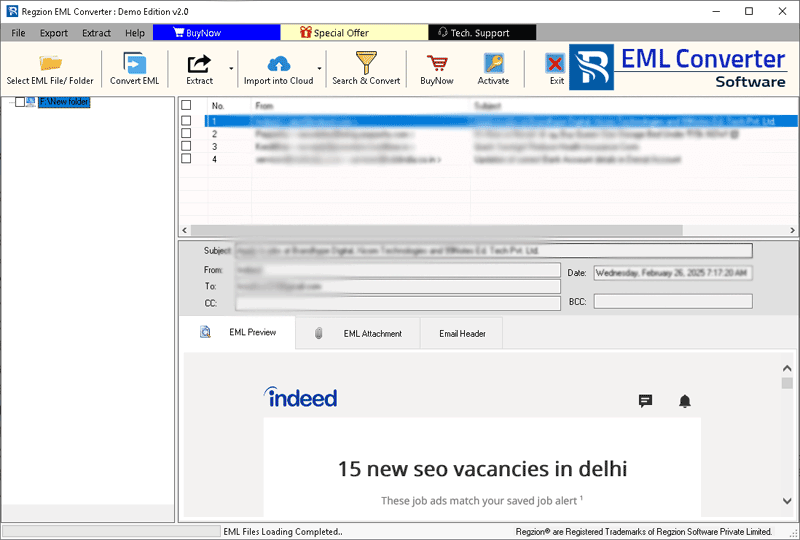
Step 4 ) Load EML files/ folders and open each EML file and preview emails from them.
Steps to Convert EML to Available Conversion Formats
Step 5 ) Choose EML items and folders for export process and click Convert EML button from menubar.

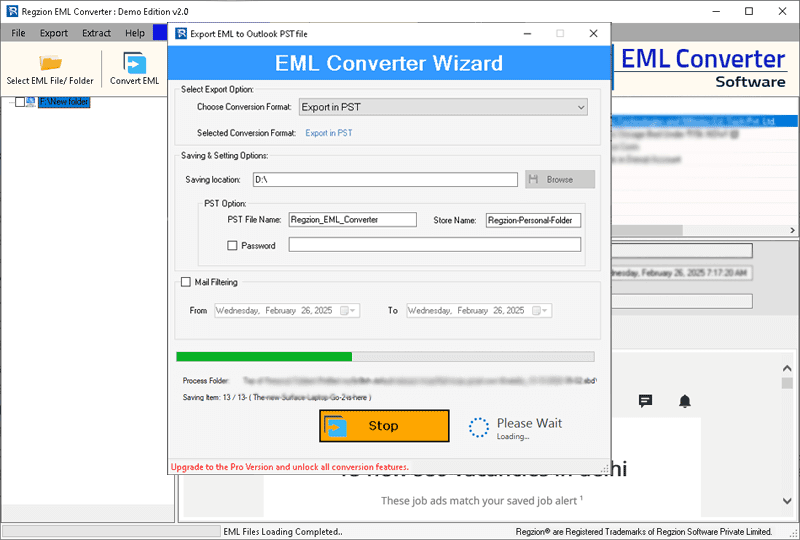
Step 6 ) Choose your desired "Conversion Format" from available options: -

- Export in PST: - Convert EML to PST files for MS Outlook. Save single email as well as multiple EML folders to single PST file. Also, file name, store name, and password to PST file.
- Export in MSG: - Export and Save EML file's email to MSG file of MS Outlook.
- Export in EML: - Export email from one email EML file to another/new EML file.
- Export in HTML: - Save EML file's emails in HTML file for accessing them with web browsers.
- Export in MBOX: - EML to MBOX conversion and saving EML emails in 2 different modes. Single MBOX (save emails from different EML folders in one MBOX file) and Separate MBOX (save emails of each folder in separate MBOX file).
- Export in NSF (Lotus Notes): - Transfer emails from different EML folders in single HCL/ IBM/ Lotus Notes NSF file.
- Export in MHTML: - Preserve each EML file's email in separate MHTML file.
- Export in Thunderbird: - Import EML emails to Thunderbird profile's local folders.
- Export in Zimbra: - Export EML emails to Zimbra compatible TGZ files.
- Export in PDF (Portable Document Format): - Saves every EML file email email in separate PDF file.
- Export in EMLX (MAC OSX files): - Export email from EML file to Apple Mail EMLX files.
- Export in CSV (Excel file): - Export and store EML email data in comma separated values.
Step 7 ) Apply needed settings with chosen conversion option: -
- Mail Filter: - Select a date range by choosing a start and an end date. Specify a date range and export emails of only selected dates.
- Naming Settings: - Use naming convention and manual enter naming functions to provide name to new files.
- Saving Location: - Select a location for saving resulting files.

Step 8 ) Apple required settings and press the Convert button to start EML file Conversion to your choosen conversion file type.
Steps to Import EML Emails to Gmail/ Yahoo Mail/ Office365 and IMAP
Step 6 )Choose needed EML folders and click on Import into Cloud button from top menubar and choose a cloud import option from drop down list.
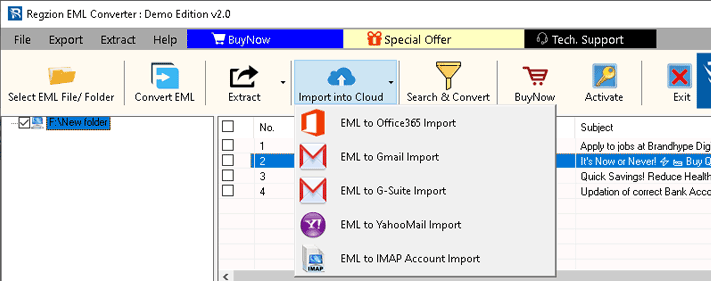
Upload/Import EML to Office365 Account
Step 8 )
Select cloud import option EML to Office 365 Import and apply other migration settings in next screen.
- Enter email address of your Office365 account.
- Select and use other options: -
- Input Folder name for migration
- Email Filter
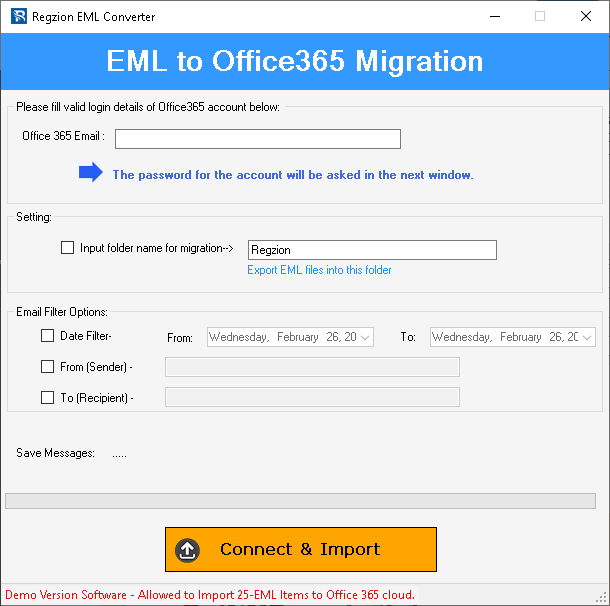
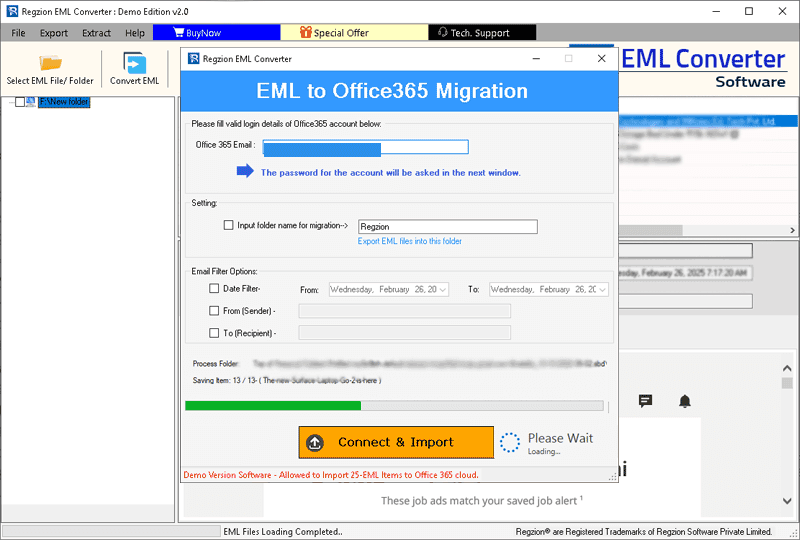
Step 9 ) Click on Connect & Import button, sign in with Office365 account and start the EML to Office365 migration.
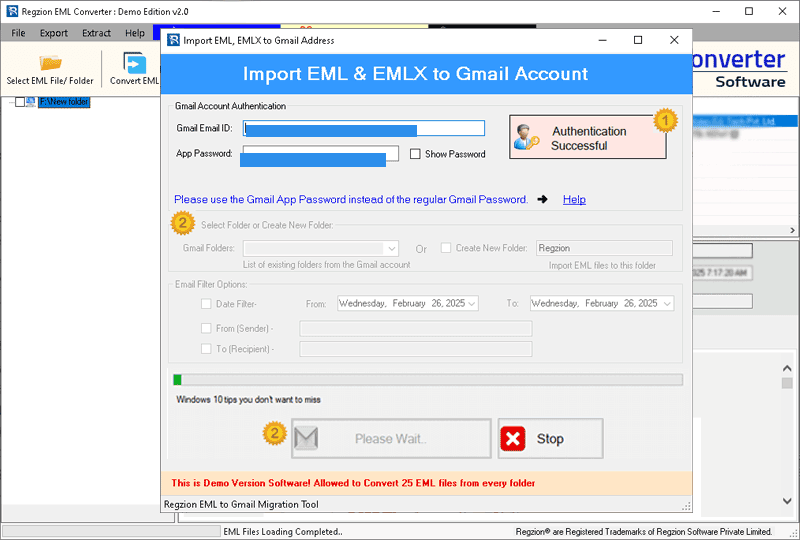
Import EML to Gmail Account
Step 8 )
Select EML to Gmail Import or EML to G-Suite (Google Workspace) cloud import option
Add your Gmail account Email Address and App Password, and hit the Authenticate Login button and connect with Gmail.
- After Gmail login process completion, choose your required Import option: -
- Gmail Folder
- Create New Folder
- Mail Filter: - Choose a mail filter option : - Date, From or To.

Step 9 ) Lastly, click on Convert and start migrating EML emails to Gmail.
Import EML to Yahoo Mail
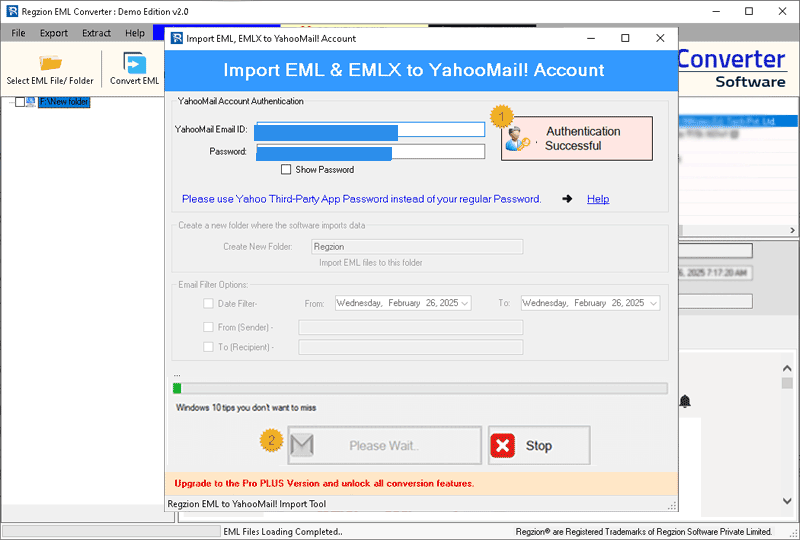
Choose EML to Yahoo Import cloud option.
Insert Email Address and Third-Party App Password of Yahoo Mail account and connect to Yahoo mail by pressing Authenticate Login.
- After Yahoo Mail account sign in process and apply these settings: -
- Create New Folder: - Add a new folder with custom name in Yahoo Mail account for importing EML emails.
- Mail Filter: - use a mail filter option - Date, From or subject, and exrtact emails based on the selected filter option.

Step 9 ) Press Convert button and start EML to Yahoo Mail migration.
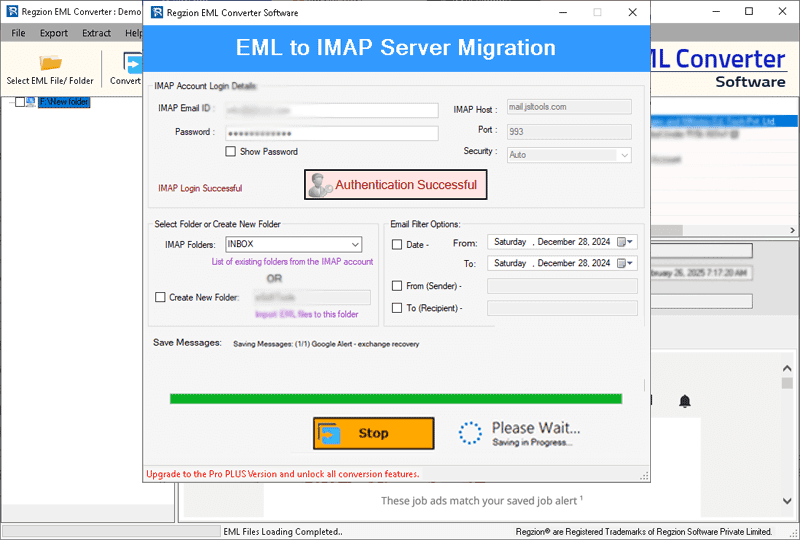
Migrate EML to IMAP Account
Select EML to IMAP import option.
Add your IMAP account' login details- Email Address, Password, Port, and Host Name.
- Choose Import option: -
- IMAP Folder
- Create New Folder
- Mail Filter: - Filter emails from EML files of chosen folder for export prcess based of 3 different modes- By Date, From (sender's email address) and TO (recipient's email address.
Ater entering required IMAP account login details and apply other needed settings: -
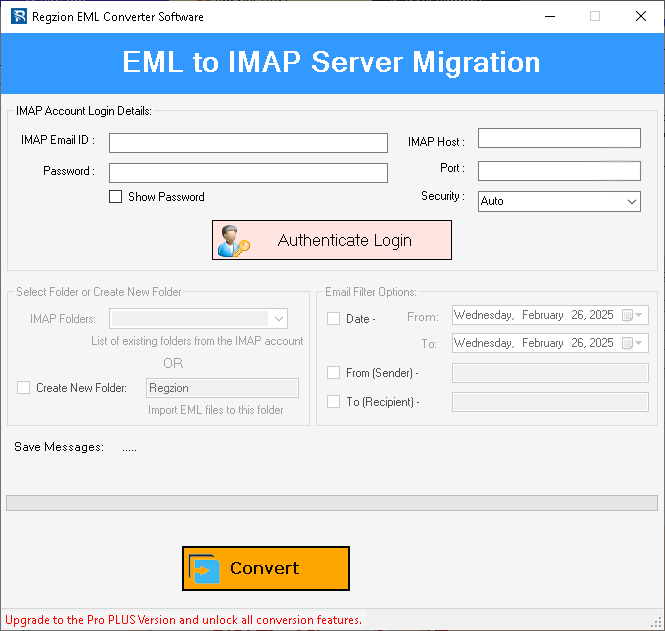
Step 9 ) Lastly, click on Convert button and begin EML to IMAP migration.