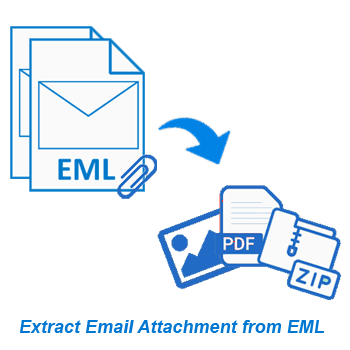
The leading way to quickly extract attachments from EML and EMLX email files. Extract from individual EML emails or a group of multiple EML files (folders and subfolders). Allows you to filter attachments based on file type, date range and many other smart functions available.
* Try the free demo - extract attachments from 15 EML emails from each chosen folder.
Free Demo: Allows you to extract from 15 emails per folder to evaluate the features.
Perfect Solution for EML Email Attachment Extraction
Smart software to efficiently extract attachments from EML files. Helps extract attachments from individual emails or entire EML folders at once. The process starts by loading files or folders, allowing preview of emails containing attachments and extraction directly from EML.
Filter and extract attachments of specific file types such as PDF, XLSX, ZIP, ICS, DOCX, PNG, or others. After extraction, attachments can be saved in a single folder or organized by email subject without any problems.
Software's Additional Works
Smooth Email Address Extraction from EML
Allow users to collect email addresses from any EML file. Select specific fields like "To," "From," "CC," "BCC" or extract from all fields at once. Also, filter emails by custom date ranges, and extract addresses from emails sent/received during a specific period. Save email addresses in multiple formats like TXT, CSV, PDF, or HTML for easy use on different platforms.
Email Viewing from EML/EMLX files Directly
Open and read EML file emails directly. The software gives a clear view of both the email bodies and their meta data and any attached files. You can preview all email content before performing any extraction tasks. This helps ensure that you are extracting the correct data.
Get the best results to extract attachments from emails of EML files. Help you process individual emails or entire folders containing multiple EML files. Filter attachments by type or extract all attachments from multiple EML files at once.
Extract not only attachments but also email addresses from EML emails. Extract from email fields, including To, From, CC, BCC, as well as all fields. The software extracts email addresses easily and allows easy saving in file types - TXT, CSV, PDF, or HTML.
Enables users to perform batch extraction from entire EML folders including subfolders. This feature saves users time when processing large collections of emails. Allows extracting attachments or email addresses from multiple files in a single operation.
Extract attachments and store them in 2 different ways. Save in different folders created based on the subject of the email, keeping files organized and easy to find. Alternatively you can choose to save all attachments in a single folder depending on your needs.
Filter and extract only specific types of attachments based on file extension. Easily input file extension of attachments you want to specifically extract - such as only PDFs, images (PNG, JPG, Webp), or other. Makes your extraction accurate and efficient.
View full content of emails from EML files, including attachments and headers (sender, recipient, date, subject, etc.). This feature allows you to get a complete overview of the emails to make informed decisions before starting any extraction.
Specify a date range to target required emails of a particular period. This enables you to extract attachments or email addresses from only required emails & skip unnecessary emails from processing, especially helpful when working with large number of emails.
Software supports both EML and EMLX file formats for any extraction process. Compatible with EML email files obtained from various email programs - such as Outlook Express, Mozilla Thunderbird, Windows Live Mail, Apple Mail (macOS), and others.
Manually select destination folder where the software will save files containing extracted attachments and email addresses. This feature provides more control over the organization of resulting files to easily store, find and access them.
The software has an intuitive and easy-to-use interface. It allows both beginners and professionals to quickly navigate and use all software functions in simple clicks. Also, helps users to complete extraction tasks without a difficult learning process.
Fully compatible with all versions of Windows operating system - Windows 11, 10, 8.1, 8, 7, XP, Vista, and even older versions. There is no doubt that you can easily run the software on any Windows-based system, even the low-end ones.
Free demo version available that allows you to extract attachments and email address from 15 emails per folder, without any cost. This provides an opportunity to test the features and performance of the tool before spending money on the full version.
| Trial Version ( Free) | Paid Version ($29) | |
|---|---|---|
| EML Email Attachment Extraction | ✓ | ✓ |
| Extract Email Address from EML/EMLX files | ✓ | ✓ |
| Open EML and Preview Email | ✓ | ✓ |
| Extract from multiple files at once | ✓ | ✓ |
| EML Extraction with chosen folders/items | ✓ | ✓ |
| Email Attachment Extension filter | ✓ | ✓ |
| Email Filter by date range | ✓ | ✓ |
| Unlimited EML Attachment Extraction | × | ✓ |
| Free Download | Purchase Now |
| Version: | 2.5 |
| Available License: | Personal, Corporate, & Technician |
| Email client: | All EML file support email clients |
| File type: | EML / EMLX |
| Processor: | Intel® Pentium Class (x86, x64) or equivalent |
| Hard Disk Space: | 50 MB of free hard disk space |
| RAM: | Minimum 512 MB is required |
| Windows O/S: | Win 11/ 10/ 8.1/ 8/ 7/ XP/ Vista and older editions. |
| Electronic: | YES |
| Mode: | Delivery by E-mail |
| Weekends Delivery: | YES |
For a full step-by-step guide, visit: How to Email Attachment from EML Files?
Yes, you can bulk extract attachments from multiple EML or EMLX files. You can add a folder with multiple sub-folders holding EML files and process them all at once.
Yes, the tool supports both EML and EMLX files, including those exported from Apple Mail (macOS).
Absolutely. You can specify file extensions and extract only selected attachment types.
Yes, the software provides a built-in viewer which is available for free to read emails from EML files. This preview is available with 3 tabs: Email View, Attachments and Header Details.
Yes, you can choose to save the attachments in a single folder or in a separate folder named as the email subject.
Just switch to "Extract Email Address" mode, and apply settings for email address extraction like- selecting email address fields (To, From, Cc, etc.), and export them in desired format easily.
Yes, it works smoothly on all Windows versions - 11, 10, 8.1, 8, 7, XP, Vista, and even earlier versions without any issue.
The demo allows extracting from 15 EML emails of each selected folder. So you can test the main features of the tool for free before purchasing the paid version.