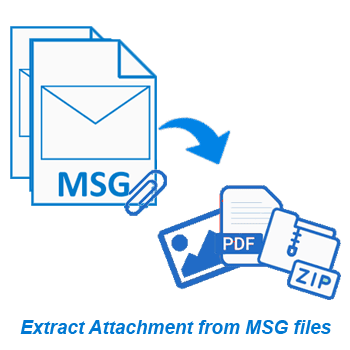
Quick way to extract attachments from MSG files and save each as separate files. Quick extraction of attachments from a single MSG file as well as multiple MSG files from different folders. Simplifying extraction process and giving fast results with minimal work.
* Available Free demo to extract attachment from up to 15 MSG items from each chosen folder.
Free Demo Version : Extracts attachments from 15 items from each chosen folder for a free trial.
Smart Attachment Extraction from Outlook MSG files
Solution that allows you to extract attachments directly from MSG files. It is an ideal solution for handling multiple MSG files to collect attachments easily. Whether you need to extract one or thousands of attachments, this tool ensures efficient processing.
Suports extraction from a single MSG file or an entire folder containing a large list of MSG files, even those with nested subfolders. Save attachments as separate files in 2 modes - save all in one folder or save each MSG's attachments in a separate folder (named by message subject). Plus, custom filters for attachment file extension and date range.
Additional Functions Available
Email Addresses extraction from MSG files
Apart from extracting attachments, use this software for MSG email address extractsion. Enables you to easily extract email addresses available in MSG files. Choose to extract emails from specific fields such as From, To, CC, BCC, Email Body or All fields. Available with powerful filtering options, and saving email addresses to TXT, CSV, HTML and PDF.
Opening Outlook MSG files Directly
Software with the facility to open MSG files independently. View the internal contents of MSG files before extraction. Open individual files or entire folders containing multiple MSG files at once. Supports MSG files, whether they are in ANSI or UNICODE format. You can work with all MSG files from any old to the latest release version created with MS Outlook.
Extract attachments from Outlook emails, contacts, calendars and other items available inside MSG files. Extract any file extension easily with simple process. Get attachments quickly and store them as separate files in your drive at any location.
Available feature to extract email address from items present in MSG files. Extract from fields - "From," "To," "CC," "BCC", "Email Body". Use for easy email list creation. Smooth email address extraction and saving to TXT, HTML, PDF, & CSV.
Process multiple MSG files or entire folders at once. Allows adding individual MSG files as well as folder with inner subfolders containing MSG files (multiple). Load the MSG file by any available method and extract attachments from all at once.
Available function to save extracted attachments in one of two ways. Keep all in a single folder, or in separate folders based on the individual MSG file (folders named by the item's subject) for better organization and easier searching. Choose any method based on your need.
Extract only the attachments you need by filtering files based on extension. Be it PDF, images or documents, just provide its extension and extract from MSG files. This feature allows you to focus on specific file types and ignore irrelevant attachments.
Before extracting attachments or email addresses, preview available contents of MSG files & attachments directly in software's preview panel. This ensures that you can see and select only the necessary and avoid selection of unwanted files/items for extraction.
Focus your extraction from MSG files containing items of a specific period with a custom date range filter. Extract attachments from MSG items that inside a specified time range. This helps you increase accuracy & speed of extraction from items of specific dates.
MSG Attachment Extractor works with MSG files of both ANSI and Unicode formats. Supports MSG files generated from all versions of Microsoft Outlook, including 2021, 2019, 2016, 2013, 2010, 2007, 2003, 2000 and even older versions.
Manually choose the location to save your extracted attachments. You can specify any destination path from your local drive to organize the resulting attachments or files containing email addresses. Stores files exactly where you need it for easy access.
Available with a clean, easy-to-navigate interface. This makes it easy for both beginners and advanced users to perform attachment extraction operations without any technical knowledge. Ensuring quick and hassle-free operations in simple clicks.
Fully compatible with all Windows operating systems. Accessibility on Windows from latest Windows 11 to older versions like Windows 10, 8.1, 8, 7, XP, Vista and older versions. Ensuring wide accessibility for users across various systems with Windows O/S.
Allows you to extract attachments/ email addresses from up to 15 MSG items from each selected folder free of cost via demo edition. Allows to explore all software features and make sure it meets your needs before you decide to purchase it.
| Trial Version ( Free) | Paid Version ($29) | |
|---|---|---|
| MSG Attachment Extraction | ✓ | ✓ |
| Extract Email Address from MSG files | ✓ | ✓ |
| Open MSG and Preview Outlook Items | ✓ | ✓ |
| Extract from multiple files at once | ✓ | ✓ |
| MSG Extraction with chosen folders/items | ✓ | ✓ |
| Filter Attachment By Extension | ✓ | ✓ |
| Email Filter by Date Range | ✓ | ✓ |
| Unlimited MSG Attachment Extraction | × | ✓ |
| Free Download | Purchase Now |
| Version: | 2.5 |
| Available License: | Personal, Corporate, & Technician |
| Email client: | MS Outlook |
| Version: | 2021, 2019, 2016, 2013, 2010, 2007, 2003, 2000, and older |
| File type: | MSG (ANSI and Unicode) |
| Processor: | Intel® Pentium Class (x86, x64) or equivalent |
| Hard Disk Space: | 50 MB of free hard disk space |
| RAM: | Minimum 512 MB is required |
| Windows O/S: | Win 11/ 10/ 8.1/ 8/ 7/ XP/ Vista and older editions. |
| Electronic: | YES |
| Mode: | Delivery by E-mail |
| Weekends Delivery: | YES |
For a detailed step-by-step guide, visit: How to Extract Attachments from MSG Files?
This software supports ANSI and UNICODE MSG files of any size and created by any version of Microsoft Outlook.
Yes, batch processing is supported specifically for this. You can add and select multiple MSG files or entire folders at once and extract attachments from them.
Yes, you can filter attachments by file type during extraction. Just enter the extension of the attachment (e.g., PDF, JPG, DOCX, etc.) and extract it specifically and exclude others.
Yes, attachments can be saved in the same folder. Also, you can save attachments of related MSG items in different folders (named as per the subject).
Yes, you can extract email addresses from the items available in MSG files - from fields like From, To, CC, BCC, and even the email body.
Yes, you can apply a date filter to extract attachments from MSG files items sent or received on specified date range.
No, the software does not modify or alter the original MSG files in any way during extraction.
Yes, a free trial version of this software is available which allows you to extract attachments from 15 MSG files selected from each folder for testing.