Regzion
ICS Attachment Extractor

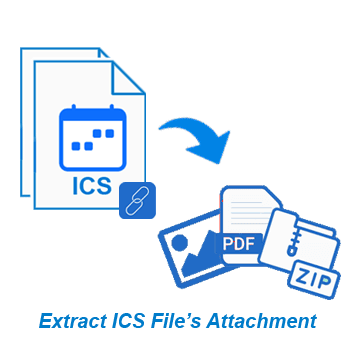
Supreme way to extract/collect attachments from ICS calendar files. Extract attachments from individual files or multiple folders containing ICS files with attachments. Plus, a number of smart functions are available for quick and secure processing.

  • Bulk attachment extraction from multiple ICS files simultaneously.
  • Save attachments to a single folder or organize into subject-wise directories.
  • Filter and extract attachments based on specific file types/extensions.
  • Supports all ICS files obtained from any platform, device or software.
  • Simple, user-friendly interface with facility of instant calendar previews.

Free Demo: Extract attachments from up to 15 calendar items at once.

ICS Attachment Extractor

windows 10

Key Features - ICS Attachment Extractor Tool


ICS Attachment Extractor Software
  • Extract attachments from ICS single or multiple files at once with high accuracy and speed.
  • Save all extracted attachments in one folder or automatically create/save in subject-wise folders.
  • Filter and extract attachments based on specific file types like PDF, DOCX, XLSX, PPTX, JPG, etc.
  • Supports ICS files created by any software, platform, device, or calendar management application.
  • Preview calendar items from ICS with full details before starting attachment extraction.
  • Select individual ICS files or entire folders for flexible and targeted attachment extraction.
  • User-friendly graphical interface for easy use on all older to modern Windows O/S versions.
  • ICS File Conversion with calendar to PST, MSG, EML, PDF, CSV, HTML, MHTML, NSF, & ICS.
  • Get full control over storage space, save extracted attachments to any location on your PC.
  • Maintains original calendar structure and metadata inside ICS file during attachment extraction.
  • Designed to execute on computers running on systems with Windows O/S (up to Windows 11).

Free Trial Edition: - Extracts attachments from up to 15 calendar items per session, at no cost.

Functions of Regzion ICS Attachment Extractor


Specialized ICS Attachment Extraction Solution

A tool specially designed to extract file attachments from ICS calendar files. Whether you are dealing with a few calendar invitations or hundreds of ICS files, it helps you. The software allows you to quickly extract documents, images, presentations or any other embedded file without modifying the original calendar data.

Provides accuracy and control with features like batch processing, subject-wise folder creation, and attachment type filtering. Suitable for both personal and enterprise-level use. By automating the process and preserving metadata, it ensures clean, organized output every time.

extract ICS attachments

Additional Capabilities


convert ICS calendar files

ICS File Conversion to Multiple Formats

In addition to attachment extraction, this software also provides the ability to convert ICS files to widely used formats including PST, MSG, EML, HTML, MHTML, CSV, and PDF. This allows users to reuse calendar data for archiving, migrating, or sharing on other platforms.

Whether you are migrating to Outlook, analyzing calendars in Excel, or creating readable reports in PDF, this tool helps get everything done with ease.

open ICS calendar files

Open ICS (View Calendar Items)

Function to check calendar items from ICS files. Works as a built-in ICS viewer, allowing users to verify content and confirm event details - all without the need for an external calendar app.

Easily open and preview ICS file to see full details of the calendar item before extraction or conversion. Show all calendar elements - event title, organizer, participants, start/ end time, recurrence pattern, description, attachments etc.

ICS Attachment Extractor - Smart Features


exaract attachment from ics

Extract ICS File Attachments

Extract file attachments embedded in ICS calendar items. Work with a single file or hundreds of files easily. Saves you from having to manually open each calendar entry and collect the attachments. Extract Attachments accurately without altering the contents of original ICS file.

open ICS calendar

Preview ICS Calendar Items

View full details of a calendar event including subject, description, time, duration, location, and recurrence. It works like a built-in ICS viewer that helps you read calendar data and specify which events to extract data from. This preview feature helps in working with the right data.


Batch ICS Processing Support

Handle multiple ICS files in a single operation, significantly speeding up the extraction process. Batch mode is ideal for users who want to manage attachments from a large collection of calendar data. You can extract thousands of attachments from hundreds of files in minimal time.

attachment saving mode

2 Saving Attachment Modes

Choose between saving all extracted attachments to a single destination as well as organizing them into subfolders according to the message subject. Subject-wise folder creation is available for easy extraction and better classification of extracted files.

email attachment extension filter

Filter Attachment Extension

Narrow down your extraction results by specifying the file type/extension such as - PDF, DOCX, XLSX, JPG, etc. This reduces clutter and helps you focus on only the most relevant attachments. This is perfect for professionals who want to work on and extract specific types of attachments from an ICS file.

ics support

Supports All ICS File Sources

Whether your ICS files are from Outlook, Apple Calendar, Google Calendar or other platforms - it works without any hassle. The software ensures compatibility with all standard ICS formats, no matter how or where they were generated. No need to worry about format incompatibilities.

add ics

Select Folder/File Extraction

Choose to scan an entire folder full of ICS files or select individual files for targeted extraction. This dual-mode functionality provides flexibility for bulk operations as well as extraction from single files. Easily insert files/folders and also get the ability to choose the required for extracting attachments.

Outlook for Mac support

Convert ICS to Multi-Format

Convert ICS file and export calendar data to multiple formats such as PST, MSG, EML, HTML, PDF, CSV, and more. This allows transferring calendar data to another tool or storing it long-term in widely supported formats. Useful for migration, or just for viewing data in your preferred format.

Saving Location Selection

Save Result to Desired Location

Specify any folder or drive location to store your extracted attachments and converted calendar files. You have full control over where and how your output files will be saved. Great for organizing related files and keeping them in your preferred location.

smart graphical interface

Smart & Friendly Interface

Designed with simplicity in mind, the interface is clean, modern, and easy to navigate. You don't have to be a tech expert - just follow the simple steps to accomplish your tasks. It requires minimal learning and helps users complete both attachment extraction and ICS conversion tasks conveniently.

workable on all windows edition

Windows O/S Compatibility

ICS Attachment Extractor is fully compatible with all major Windows operating systems, including Windows 11, 10, 8.1, 8, and 7, both 32-bit and 64-bit versions. It installs quickly and runs smoothly on all the latest to oldest Windows versions.

free ICS attachment extract

Extract ICS Attachment Free

Evaluate the tool with a free trial that lets you extract attachments from up to 15 calendar entries. This helps you test the functionality, accuracy, and ease of use before making a purchase. It's risk-free and a great way to confirm that the software meets your expectations.

Software Comparison - Free vs Paid+ Version

Trial Version ( Free) Pro Edition ($49)
Extract Attachment from ICS files
Extract from Multiple files at once
Open ICS Files and Preview Calendar items
Convert ICS to PST HTML, CSV, PDF or more
Unlimited Attachments Extraction from ICS ×
Extract attachment from 15 items from each ICS folder
Free Download Purchase Now

What customers says about

Regzion ICS Attachment Extractor Software


⭐ 4.9/5 based on 473 reviews


Excellent 96%
Good 3%
Average 1%
Below Average 0%
Poor 0%

"Perfect tool for extracting what I needed from ICS calendar files. Subject-wise folder creation is also a great function inside the software, making it very easy to manage attachments. Also, I liked the ability to filter by attachment type. It's reliable, fast, and I highly recommend it."

Emily Carter

United Kingdom

⭐⭐⭐⭐⭐

"We needed a reliable solution to extract calendar attachments from ICS files for years, and this software did the job without any problems. It handled hundreds of files without any problems, and the preview feature helped avoid unnecessary extraction. Great program."

Liam Thompson

Australia

⭐⭐⭐⭐⭐

"I tested the demo on 15 calendar items and was so impressed that I upgraded the same day. Batch extraction and type filtering saved our team several days of manual work. It's a straightforward tool that does exactly what it promises - and does it well."

Sofia Müller

Germany

⭐⭐⭐⭐⭐

Extract ICS Attachment in 3 Easy Steps


Download and install ICS Attachment Extractor on any Windows system, then launch the application to begin.

Import single or multiple ICS files or entire folders and preview calendar items before extraction.

Select folders, apply file-type filters, and extract attachments into one or subject-wise folders efficiently.

Software Specification


software details
Software Info
Regzion ICS Attachment Extractor Software
Version:    2.5
Available License:    Personal, Corporate, & Technician
Version Support
File type:     ICS (ICalendar)
System Requirements
Processor:   Intel® Pentium Class (x86, x64) or equivalent
Hard Disk Space:   50 MB of free hard disk space
RAM:   Minimum 512 MB is required
Windows O/S:   Win 11/ 10/ 8.1/ 8/ 7/ XP/ Vista and older editions.
Software Delivery
( License Key )
Electronic:   YES
Mode:   Delivery by E-mail
Weekends Delivery:   YES

Frequently Asked Questions


  • Download and install Regzion ICS Attachment Extractor, and launch the application on windows PC.
  • Hit on Select ICS File/Folder and choose Folder Mode or Files Mode and insert ICS files.
  • Press Next button to allow the software to analyze calendar content and detect all embedded data from ICS.
  • Preview the calendar event details, including subjects, dates, recurrence info, and attached files from ICS.
  • Select the specific calendar items or full folders from which you want to extract attachments.
  • Decide how attachments should be saved attachments all in one folder or save as calendar subject.
  • Apply extension filters to extract only desired file types such as PDFs, ZIPs, or images.
  • Choose your output location to define the attachment saving path on your system
  • Click on Convert and let the software complete the attachment extraction process quickly.
ICS Attachment Extractor

This is a specialized tool designed to extract file attachments from ICS Calendar files. Allows to extract in bulk as well as individually. Also, including options to filter, preview, and organize the output.

Yes, the software supports batch processing. You can import a folder containing multiple ICS files and extract attachments from all of them at once.

This tool can extract all embedded file types, including PDFs, images, Word documents, spreadsheets, ZIP files, and more. You can also filter based on the extension.

No, the software functions on a read-only basis and does not modify, overwrite or damage your original ICS files in any way.

Yes, it supports ICS files generated from any calendar app of any device or platform including Outlook, Apple Calendar, Gmail, Thunderbird, etc.

Absolutely. This tool allows you to preview calendar event details such as subject, date, organizer, and attached files before performing the extraction.

This software is compatible with Windows 11, 10, 8.1, 8, 7, XP, and older versions (both 32-bit and 64-bit systems).

Yes, the free demo version allows you to extract attachments from 15 calendar items to evaluate the features of the software.

Trusted By Leading Brands

Brand 1
Brand 2
Brand 3
Brand 4
Brand 5
Brand 6